
Medical practices depend on digital systems for nearly every part of daily operations, from scheduling and billing to prescriptions, clinical notes, imaging, and patient communication. When those systems fail, the issue is not only technical. It affects patient care, revenue, compliance, and trust. That is why data backup and disaster recovery should be treated as a core business function, not an optional IT upgrade.
Why Data Backup & Disaster Recovery Matter for Medical Practices
A strong data backup plan gives a practice the ability to recover after hardware failure, cyberattack, human error, power outage, or natural disasters. Disaster recovery expands that protection by defining how the practice will restore systems, communicate during downtime, and continue serving patients while technology is being repaired.
The Cost of Losing Patient Data
Patient data is one of the most valuable assets in healthcare. It includes demographics, insurance details, diagnoses, medications, lab results, clinical notes, and billing records. Data loss can delay treatment, interrupt claims, create legal exposure, and damage confidence among patients who expect their provider to protect patient information with discipline and care.
The Cost of EHR Downtime
When EHR systems go offline, staff may lose access to schedules, charts, prescriptions, referrals, and documentation workflows. Even a short outage can create long phone queues, missed appointments, billing delays, and clinical risk. Effective EHR backup and recovery help ensure EHR data can be restored quickly and safely.
Does HIPAA Require Data Backup and Disaster Recovery?
Yes. HIPAA requirements do not simply encourage good backup habits. The HIPAA Security Rule requires covered entities and business associates to protect the confidentiality, integrity, and availability of electronic protected health information. That includes planning for emergencies that damage systems containing healthcare data.
HIPAA Contingency Plan Requirements
The HIPAA data backup requirements are part of the Security Rule contingency plan standard. Medical practices must have procedures for creating retrievable copies of ePHI, restoring lost data, operating during emergencies, testing recovery procedures, and prioritizing critical applications. In practical terms, a compliant contingency plan should connect backup and recovery technology with written policies and staff responsibilities.
Penalties for Non-Compliance
Failure to maintain reliable backup solutions can become a compliance problem when it leads to unavailable records, unprotected data, or delayed patient access. HIPAA enforcement can include corrective action plans, investigations, settlements, and civil monetary penalties. For a practice, the better approach is prevention: document the risk, build the plan, and test it before an incident occurs.
Key Components of a Medical Practice Disaster Recovery Plan
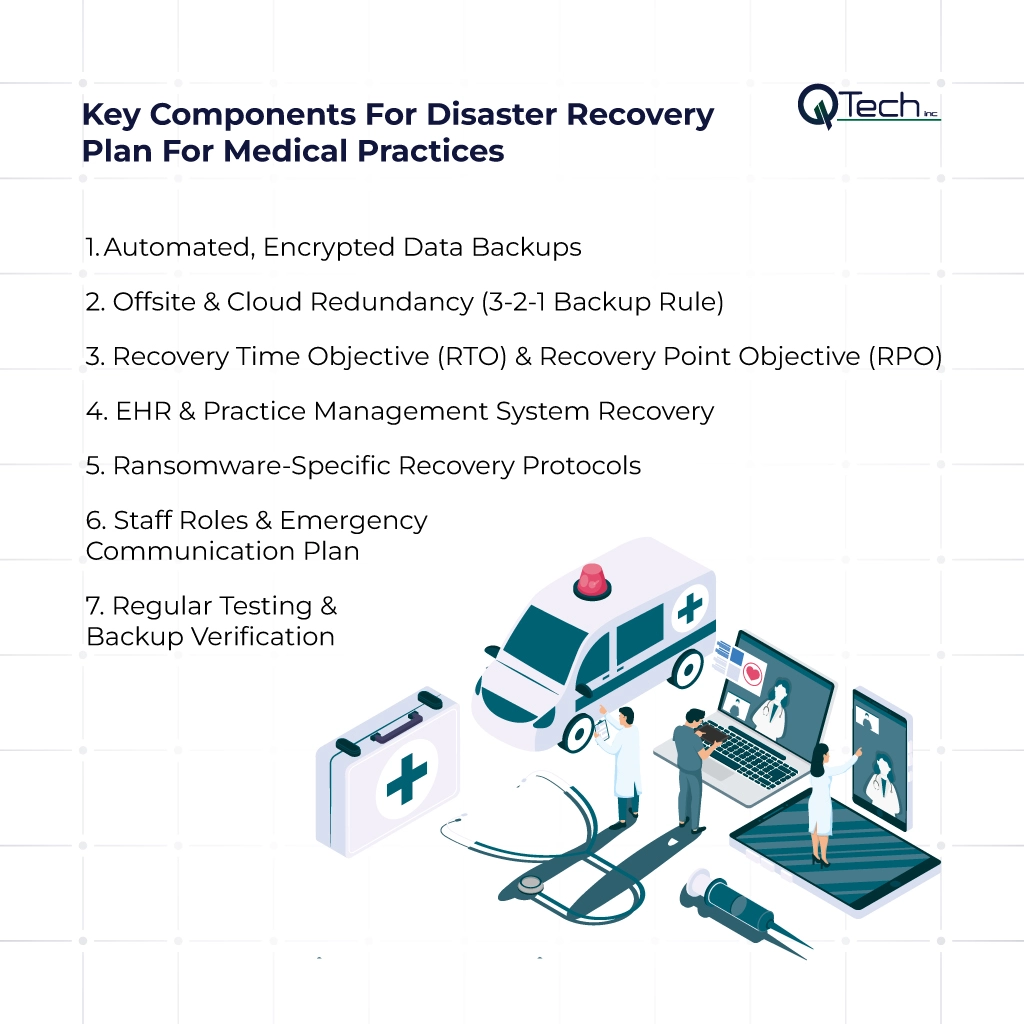
The key components of a medical practice disaster recovery plan are automated encrypted data backups, offsite and cloud redundancy using the 3-2-1 rule, defined RTO and RPO targets, EHR and practice management system recovery mapping, ransomware-specific protocols, staff roles and emergency communication, and regular backup testing and verification.
1. Automated, Encrypted Data Backups
Manual backups are easy to forget and difficult to verify. Automated data backup creates a consistent schedule, while encryption protects patient data during storage and transfer. The goal is to create secure, retrievable copies without relying on a staff member to remember a daily task.
2. Offsite & Cloud Redundancy (3-2-1 Backup Rule)
The 3-2-1 rule means keeping three copies of data, on two different media types, with one copy stored offsite. Cloud backup for medical practices supports this model by keeping a protected copy away from the local office, server closet, or single data center. Cloud backup also helps practices recover when local equipment is damaged.
3. Recovery Time Objective (RTO) & Recovery Point Objective (RPO)
RTO defines how quickly systems must be restored. RPO defines how much recent data the practice can afford to lose. For example, a practice may decide its EHR must be usable within hours and that no more than a few minutes of chart activity should be at risk.
4. EHR & Practice Management System Recovery
An effective plan must cover both clinical and administrative systems. EHR platforms, practice management software, billing tools, imaging systems, document repositories, and phone systems may all affect operations. Patient data backup solutions should be mapped to each system so the team knows what to restore first.
5. Ransomware-Specific Recovery Protocols
Ransomware can encrypt live systems and connected backups. A modern backup and recovery strategy should include immutable or protected backups, endpoint controls, access restrictions, monitoring, and a clear process for isolating infected devices. Recovery should never depend on paying a criminal group.
6. Staff Roles & Emergency Communication Plan
Technology alone is not a disaster recovery plan. Staff need to know who contacts IT, who communicates with vendors, who updates patients, and how care continues if systems are unavailable. Emergency communication should include phone trees, alternate email access, printed procedures, and leadership approval steps.
7. Regular Testing & Backup Verification
A backup is only useful if it can be restored. Testing confirms that files, databases, applications, and permissions return correctly. Verification should include sample restores, documented results, issue tracking, and periodic updates to recovery procedures. Testing also gives leadership confidence that the plan works beyond theory.
Common Data Backup Mistakes Medical Practices Make
Many practices believe they are protected because “something is backing up.” That assumption is dangerous. Data protection requires visibility, accountability, and proof. Without regular review, backups may be incomplete, outdated, inaccessible, or connected to the same threat that damages production systems.
Relying on a Single Backup Location
A local drive, server, or network-attached storage device may help with simple file recovery, but it is not enough. Fire, flood, theft, ransomware, or hardware failure can destroy the original system and the only backup at the same time. Redundancy is essential.
Never Testing the Recovery Process
Practices often discover backup problems during an emergency, when there is no time to troubleshoot. A backup file may exist but fail to restore because of corruption, missing credentials, incompatible software, or incomplete databases. Testing turns uncertainty into operational readiness.
No Defined RTO/RPO Targets
Without RTO and RPO targets, IT teams and leadership may have different expectations during a crisis. One person may expect a same-day recovery, while another expects a multi-day rebuild. Clear targets guide budgeting, vendor selection, and response priorities.
Conclusion & How Q-Tech Inc. Protects Medical Practices With Backup & Recovery Solutions
Data backup and disaster recovery for medical practices is about more than storing files. It is about protecting patients, keeping providers productive, meeting HIPAA requirements, and preserving the reputation of the practice. A well-designed plan reduces panic, limits downtime, and gives the organization a clear path back to normal operations.
We help healthcare organizations build practical backup solutions, secure cloud backup strategies, ransomware recovery planning, and IT support designed around real clinical workflows. Our team understands the technical and compliance pressure medical practices face, from EHR access to patient communication and ongoing data protection. To strengthen your environment, explore our work in data security for healthcare providers and our managed IT services for healthcare business. With the right partner, your practice can protect its systems, support patient care, and recover with confidence.
FAQ
Q: What is the difference between data backup and disaster recovery for medical practices?
A: Data backup is the act of saving copies of patient data and electronic Protected Health Information (ePHI). Disaster recovery is the broader process of restoring access to data, applications, and operations after a disruption. Both are required components of HIPAA’s Contingency Plan.
Q: What is the 3-2-1 backup rule for healthcare?
A: The 3-2-1 rule means: 3 copies of your data (1 production + 2 backups), on 2 different media types (e.g., local server + cloud), with 1 copy stored offsite (geographically separated from your primary location). For medical practices, the offsite copy should also be immutable (unchangeable) to protect against ransomware encryption.
Q: What are immutable backups and why are they important for healthcare?
A: Immutable backups are data copies that cannot be altered, deleted, or encrypted by any user — including attackers. They are stored in a secure “vault” that prevents ransomware from encrypting or destroying your backup data. If ransomware strikes, you can restore from the last known clean, immutable copy without paying a ransom. This is now considered a healthcare best practice.
Q: What happens if a medical practice doesn’t have a HIPAA-compliant backup plan?
A: Penalties can include: HIPAA fines ranging from $100 to $50,000 per violation, annual penalties reaching $1.9 million, loss of patient trust, reputational damage, malpractice claims if patient care is compromised, and potential legal action. In addition, without proper backups, ransomware can permanently lock you out of patient records, forcing you to pay the ransom or close your practice.