

Introduction – Why Social Media Security Has Never Mattered More
Social media platforms help businesses reach customers, build trust, and drive sales, but they also give criminals a direct path to brands, people, and payment systems. This guide will give you practical steps for staying safe without slowing growth.
Americans lost over $2.1 billion to social media scams in 2026
The latest FTC data, released in 2026, shows consumers reported $2.1 billion in losses from scams that started on social media in 2025. Social networks are no longer just marketing channels; they are active risk environments.
Account takeover recovery costs now exceed $4.6 million per incident
When hackers enter a business account, damage can spread to ads, customer messages, credit cards, reputation, and sensitive information. Multimillion-dollar breach costs show why prevention is cheaper than recovery.
The rise of AI-driven threats – deepfakes, synthetic identities, hyper-targeted scams
AI helps criminals write believable messages, clone voices, build fake faces, and mimic executives. Poor grammar is no longer a reliable warning sign.
Know the Modern Threats
Account Takeovers & Phishing (DMs from “Meta Support,” cloned login pages)
A scammer may send a phishing email or direct message claiming your page violated a rule. The link often leads to a cloned login page.
Fake Brand Pages & Customer Support Impersonation
Criminals copy logos, names, and profile images to trick customers into sharing personal information, order numbers, or payment details.
AI-Generated Personas & Deepfake Scams
Synthetic profiles can pose as vendors, influencers, employees, or partners. They use social engineering to build trust, then ask for access, money, or files.
Malicious Ads & Fake Shopping Sites
Scammers buy polished ads that lead buyers to fake stores. Customers may enter credit cards, addresses, and passwords before realizing the offer was false.
Investment Scams & “Pig Butchering” Schemes
Investment fraud often starts with friendly advice from a stranger or “guru.” The scammer builds trust, then pushes victims toward a fake platform.
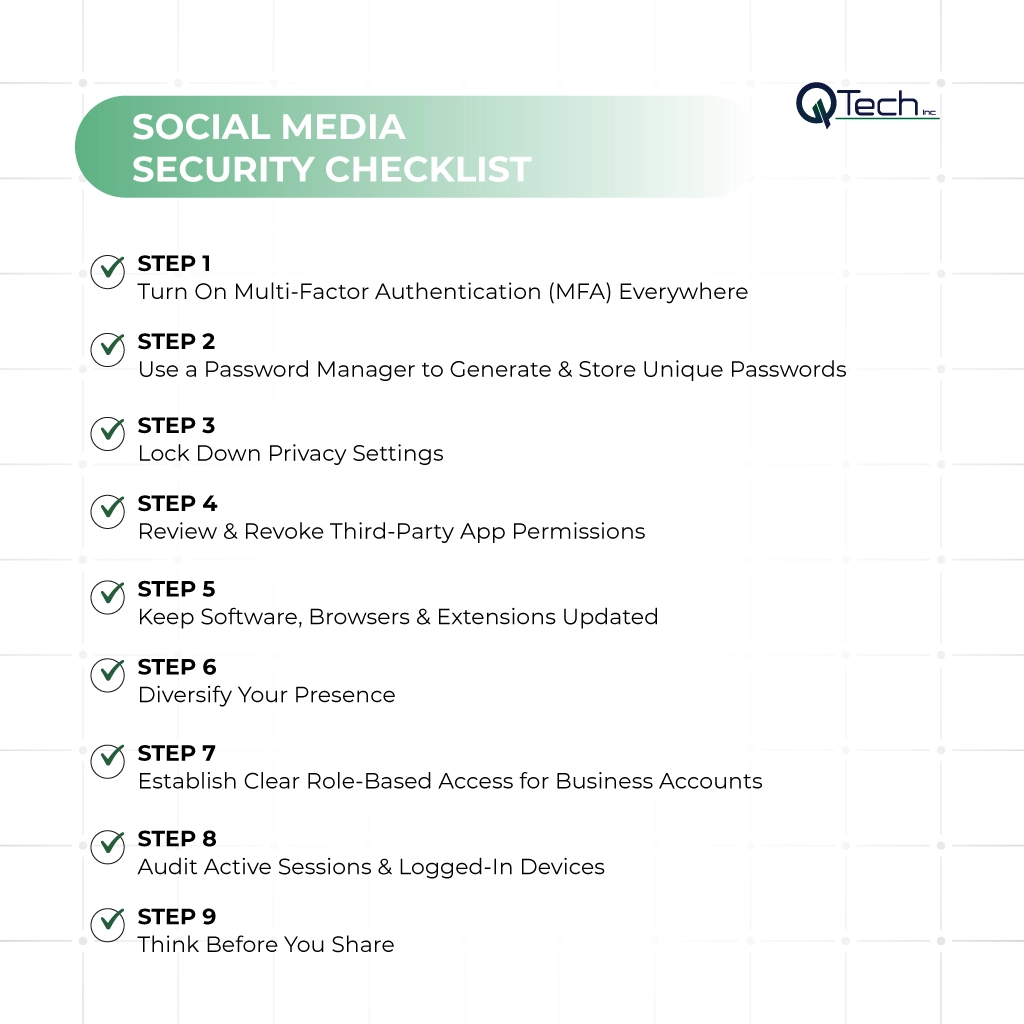
Your Social Media Security Checklist
- Step 1 – Turn On Multi‑Factor Authentication (MFA) Everywhere
- Step 2 – Use a Password Manager to Generate & Store Unique Passwords
- Step 3 – Lock Down Privacy Settings
- Step 4 – Review & Revoke Third‑Party App Permissions
- Step 5 – Keep Software, Browsers & Extensions Updated
- Step 6 – Diversify Your Presence
- Step 7 – Establish Clear Role‑Based Access for Business Accounts
- Step 8 – Audit Active Sessions & Logged‑In Devices
- Step 9 – Think Before You Share
Step 1 – Turn On Multi-Factor Authentication (MFA) Everywhere
Enable multi-factor authentication on every profile, ad account, email account, and financial institution login. This supports phishing prevention and social media hacking prevention.
Step 2 – Use a Password Manager to Generate & Store Unique Passwords
A password manager creates long, unique passwords for each platform, preventing one leaked password from opening every business account.
Step 3 – Lock Down Privacy Settings (Profile to Private, Disable Search Indexing)
Review social media privacy settings often. Adjust security settings, limit public details, disable unnecessary search indexing, and turn off location services when not needed.
Step 4 – Review & Revoke Third-Party App Permissions
Old apps, schedulers, browser tools, and analytics plugins can keep access after a campaign ends. Remove anything your team no longer uses.
Step 5 – Keep Software, Browsers & Extensions Updated
Updates close known security gaps. Keep devices, browsers, spam filters, extensions, and mobile apps current.
Step 6 – Diversify Your Presence (Don’t Rely Only on Social Media)
Build an email list, website, and search presence so your business can reach customers if a platform locks or compromises an account.
Step 7 – Establish Clear Role-Based Access for Business Accounts
Give users only the access they need. Owners, managers, advertisers, and creators should have separate permissions.
Step 8 – Audit Active Sessions & Logged-In Devices
Check active sessions monthly. Log out of unknown devices, review locations, and confirm that only approved team members are connected.
Step 9 – Think Before You Share (Avoid Posting Personal Data Publicly)
Avoid posting birthdays, travel plans, internal screenshots, badges, invoices, or customer details. Small facts can help attackers build a convincing scam.
How to Recognize a Social Media Scam
Unsolicited investment advice or “guru” messages
Be cautious when strangers offer fast returns, secret systems, or private trading groups. Real financial guidance does not begin with pressure in a DM.
Urgent requests for verification or payment (especially after account recovery)
Scammers create panic by saying your page will be deleted or your ads will stop. Verify claims through official platform dashboards.
“Too good to be true” giveaways or discount codes
Fake giveaways collect emails, passwords, and payment information. Before clicking, search the brand name with “scam” or “complaint.”
Poor spelling/grammar? Not always – AI has changed the game
Modern phishing techniques can sound polished. Clean writing and professional design are not proof of trust.
Immediate Incident Response Checklist
Immediately reset your password using platform recovery tools
Use official recovery tools only. Change passwords for the affected account, connected email, and any reused credentials.
Report the hack to the platform’s official help channel
Report phishing scams, impersonation, fraud, and account takeover through the platform’s verified help center.
Alert your followers via other channels (email list, other social platforms)
Tell customers what happened, what not to click, and how to contact you. If they receive an email, phone calls, or DMs asking for payment, they should verify first.
Freeze any linked payment methods and pause active ads
Pause campaigns, remove stored credit cards, and alert your bank or financial institution. This limits ad fraud while you regain control.
Document everything – account creation date, invoices, screenshots
Save screenshots, invoices, URLs, messages, timestamps, and support case numbers. Good records help with recovery, insurance, and identity theft reporting.
How Q-Tech Inc. Helps Businesses Strengthen Social Media Security
Q-Tech Inc. helps businesses protect their digital presence through secure content workflows, access planning, account audits, and practical social media safety tips. Our team supports safe social media management while helping businesses secure your business across accounts, devices, users, and campaigns. A strong social media security checklist protects your brand, customers, and revenue.
Conclusion – Security Is a Daily Habit, Not a One-Time Task
Social media security works best when it becomes routine. Use this account security checklist monthly, train your team, verify before clicking, and keep every platform under active review. The safest brands are not silent online; they are prepared, alert, and consistent.