
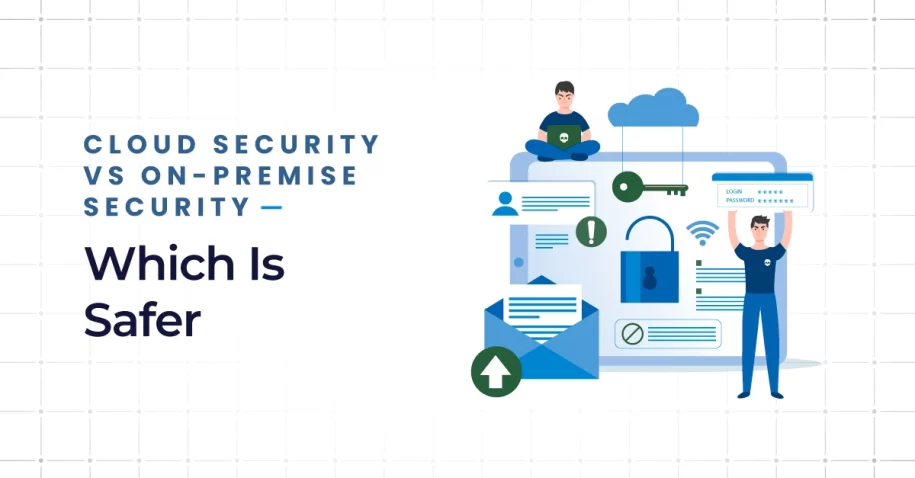
The question of cloud security vs on-premise: which is safer, is one that businesses cannot ignore in 2025. With cyberattacks on the rise, compliance regulations tightening, and companies expanding their digital footprints, security is no longer just about keeping hackers out—it’s about ensuring resilience, scalability, and trust.
Both cloud security and on-premise security have clear advantages and limitations. The choice is not always about one being better than the other; instead, it depends on your industry, budget, and business needs. Some organizations thrive by adopting hybrid strategies that mix elements of both.
This blog explores the differences between cloud security and on-premise security, highlighting the benefits of both, and explains how businesses can adopt hybrid cloud solutions to leverage the best of both worlds.
What Are Cloud Security and On-Premise Security?
Before weighing the pros and cons, let’s start with clear definitions.
Definition: Cloud Security
Cloud security refers to the practices and technologies used to protect data, applications, and workloads hosted in third-party data centers. These environments are managed by providers who deliver cloud services such as computing power, storage, and networking.
In a cloud model, data protection is achieved through a combination of advanced firewalls, encryption, identity management, and monitoring. The benefits of cloud security include scalability, automatic updates, and access to global security resources that many businesses cannot build internally.
Providers typically offer options such as public cloud service environments, private deployments, or hybrid cloud architectures. By using these models, organizations can adapt their security strategies based on their operational needs.
Definition: On-Premise Security
On-premise security involves managing everything internally. Companies run their own hardware and software, store information in local data centers, and handle every update, patch, and monitoring activity.
With on-premise security, businesses maintain full control over their data and can design custom security policies specific to their industry. The benefits of on-premise security include offline access, reliable performance even when internet connections fail, and direct oversight of every system.
However, the downside is that organizations must fund, manage, and maintain these systems themselves. Partnering with dedicated IT support in Miami ensures that local hardware, routine maintenance, and infrastructure updates are handled efficiently to keep on-premise models secure.
Key Differences Between Cloud & On-Premise Security
The difference between cloud security and on-premise security becomes clear when we compare how each model handles infrastructure, costs, and responsibilities.

Location & Physical Control vs Remote / Distributed Infrastructure
In premises systems, servers are housed on-site. Companies know exactly where their data is stored and who has access. By contrast, cloud computing relies on remote data centers that may span multiple regions. This distributed nature improves resilience but reduces direct control over physical assets.
Responsibility & Maintenance (Who patches, who updates)
Cloud providers follow a shared responsibility model. They handle physical infrastructure, networks, and much of the platform security. Businesses remain responsible for user access, compliance policies, and data management.
With on-premise security, however, all responsibility lies in-house. Every update, patch, and vulnerability scan must be handled by the company’s IT team. This approach offers maximum control but also maximum burden.
Scalability, Elasticity & Resource Usage (Cloud’s advantage)
A key benefit of cloud security is the ability to scale instantly. Need more storage or computing power? With clouds working in sync, organizations can adjust resources within minutes.
On-premise infrastructures, on the other hand, require purchasing and installing new servers. This creates long lead times and higher upfront costs, making them less agile for fast-growing businesses.
Cost Model: CapEx vs OpEx
On-premise security is based on capital expenditure (CapEx). Businesses buy servers, firewalls, and software licenses upfront, then maintain them over time.
Cloud models are built on operational expenditure (OpEx). Companies pay only for the cloud services they use, whether it’s storage, applications, or public and private clouds. This pay-as-you-go approach helps organizations manage budgets more predictably.
When Cloud Security Might Be Safer
Cloud models aren’t always the perfect fit, but in many scenarios, they deliver superior protection and resilience.
For Businesses with Limited IT Resources ‒ Benefit of Provider Expertise, Audits, Security Tools
Small and mid-sized businesses often lack large IT departments. Partnering with cloud providers gives them access to continuous monitoring, compliance frameworks, and specialized security tools.
Providers deliver solutions offered like advanced firewalls, intrusion detection systems, and multi-factor authentication—all of which would be costly to replicate in-house. Working with local specialists offering cloud services in Miami ensures continuous access to up-to-date security defenses without overstretching limited internal resources.
Example: A local retail chain moved to the cloud and relied on provider audits to comply with PCI DSS requirements. This eliminated the need for costly in-house compliance teams.
For Scalability, Disaster Recovery, and Global Access
Cloud systems shine in resilience, particularly when organizations distinguish between cloud backup vs cloud storage to build true disaster recovery capability. With distributed data centers, businesses can quickly restore operations after outages while supporting today’s hybrid workforces.
Example: A law firm expanded internationally and used a public cloud service to allow secure access to case files across offices in three countries. This flexibility would have been difficult with on-premise only.

When On-Premise Security Makes More Sense
Despite the flexibility of cloud, certain industries and use cases still favor local control.
Highly Regulated Industries (healthcare, finance, government)
Regulatory frameworks such as HIPAA, PCI DSS, and GDPR often require sensitive data to remain within controlled environments. For hospitals and financial institutions, premises infrastructures offer assurance that they meet compliance standards.
Example: A regional hospital chose on-premise solutions to protect patient records, ensuring compliance with local regulations and guaranteeing direct oversight of medical data.
Situations Where Data Must Be Kept In-House (e.g., IP, trade secrets)
Companies working with trade secrets or intellectual property may not want information hosted in shared or remote environments. Storing it in-house ensures that sensitive data is stored only within the company’s direct control.
Low Latency, Always-On Connectivity, Offline Reliability
Industries such as manufacturing or trading platforms need systems that remain reliable even during internet outages. On-premise security ensures that local operations continue without interruption.

Best Practices & Hybrid Models
Forward-looking businesses often avoid an all-or-nothing approach. Instead, they adopt hybrid cloud environments that combine cloud flexibility with on-premise reliability.
Shared Responsibility Model: Understanding Vendor vs Internal Duties
Every organization must understand the shared responsibility model. Providers secure physical infrastructure, while businesses remain responsible for IAM, compliance, and workload configuration. This balance is critical to avoid security gaps.
Encryption (data at rest, in transit), Strong IAM & Access Controls
Whether using cloud or premises systems, encryption is non-negotiable. Strong IAM policies, regular credential audits, and layered access controls strengthen data security across all environments.
Regular Audits, Vulnerability Scanning & Patch Management
Routine assessments keep security measures current. Organizations should invest in regular vulnerability scanning and prompt patch management—whether systems are cloud-based or local.
Use of Private Cloud or Hybrid Cloud to Combine Benefits
A cloud hybrid model allows businesses to run critical workloads on-premise while using public and private clouds for less sensitive operations. This creates the ideal mix of scalability, compliance, and resilience.
By leveraging cloud services alongside legacy infrastructure, companies gain flexibility and cost efficiency while ensuring sensitive workloads stay protected.
Example: A global manufacturer adopted hybrid cloud architectures by hosting design files on-premise for IP protection while using public cloud services for collaboration and scalability.
Conclusion & How Q-Tech Inc. Helps You Secure Both
The debate over cloud vs. on-premises isn’t about choosing a single winner. Instead, it’s about aligning your strategy with your business model, regulatory requirements, and growth goals.
For some, the benefits of cloud security, scalability, flexibility, and provider expertise make it the safer choice. For others, the benefits of on-premise security, direct control, offline reliability, and compliance remain critical. Most companies in 2025 will find the best answer in hybrid cloud work, where both approaches combine to deliver balance and resilience.
Q-Tech Inc. helps businesses navigate this complexity. We design and deliver advanced cloud security services and tailored hybrid cloud solutions. Whether you need a structured cloud migration strategy, want to modernize on-premise systems, or explore hybrid architectures, we provide the technical expertise to keep your organization secure.
In a world where cyber threats grow daily, your security strategy must be proactive, flexible, and built for the future. By working with the right partner, businesses don’t just protect themselves—they gain confidence, scalability, and long-term stability.
FAQ
Is cloud computing more secure than on-premise?
Answer: It’s not inherently more secure; it’s differently secure. Major cloud providers offer world-class physical security and expertise that most companies can’t match on their own. However, cloud security is a shared responsibility. The provider secures the infrastructure, but the customer is responsible for securing their data, access, and configurations. A misconfigured cloud storage bucket is a common customer-side failure, not a provider security breach.
What is the biggest security risk in the cloud?
Answer: The biggest risk is often misconfiguration and human error. With great power and ease of use comes the potential to accidentally expose data or services to the public internet. This underscores the critical importance of proper cloud security posture management (CSPM) and training.
Does the cloud have better physical security?
Answer: Almost universally, yes. Cloud providers like AWS, Google Cloud, and Microsoft Azure invest billions in state-of-the-art data centers with biometric access, 24/7 monitoring, redundancy, and disaster recovery measures that far exceed what most enterprises can build and maintain themselves.
Can a hybrid approach be the most secure option?
Answer: Yes, a hybrid model (part on-premise, part cloud) is often adopted for security reasons. It allows organizations to keep highly sensitive data or regulated workloads on-premise while leveraging the cloud’s scalability and advanced security tools for other workloads. This provides a balance of control and flexibility.