
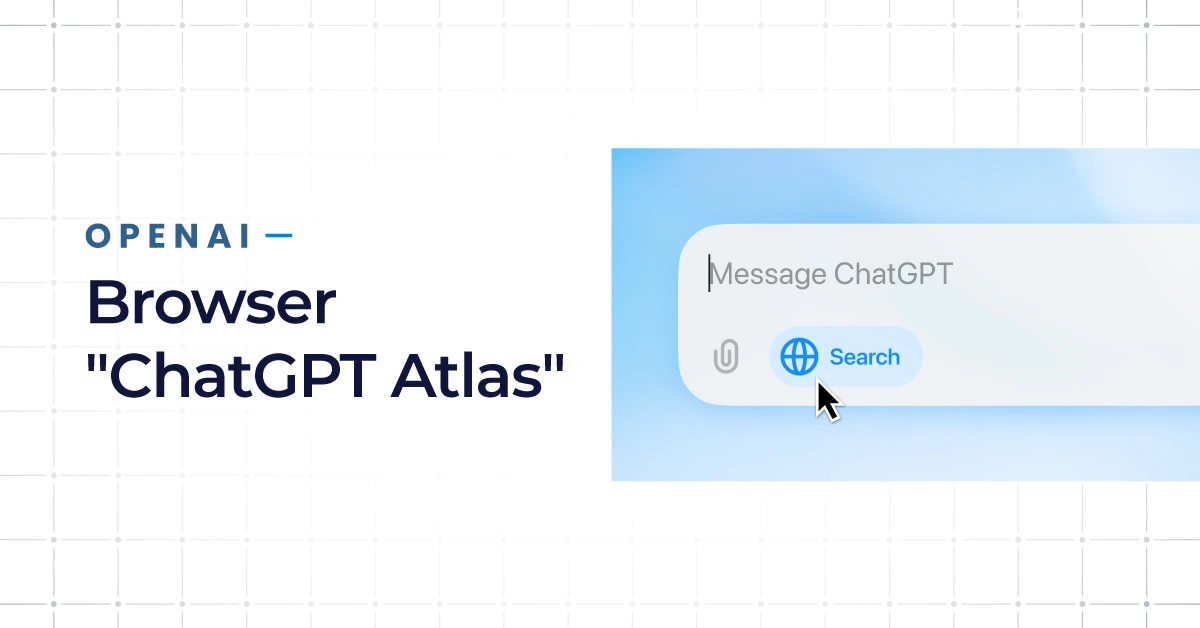
What is the OpenAI Browser?
The OpenAI Browser, known officially as ChatGPT Atlas, represents a groundbreaking evolution in how we interact with the web. Unlike traditional search engines, this AI browser is designed around natural conversation — you don’t just type queries, you talk to it.
Launched in October 2025, this innovative web browser merges OpenAI’s powerful language models with real-time web browsing capabilities, marking a pivotal moment in the digital landscape. It’s currently available for macOS, with Windows, iOS, and Android versions expected soon — a fact that has already stirred excitement across the tech community.
Background & Why OpenAI Built It
OpenAI’s mission has always centered on making artificial intelligence accessible, safe, and deeply useful. With Atlas, they’ve taken a bold step beyond chatbots and productivity tools. The OpenAI Browser was created to reimagine how users find and process information online — turning static searches into dynamic conversations.
Instead of sorting through a dozen tabs, users can ask Atlas to summarize articles, compare data, or even suggest next steps. For pro and business users, this shift means faster decisions and smarter suggestions powered by AI-driven context.
Key Features at a Glance
From its conversational address bar to integrated AI agents, ChatGPT Atlas is built to simplify the entire browsing experience. Key OpenAI Browser features include a ChatGPT sidebar for real-time assistance, browser memories that retain preferences, and seamless import data functionality for syncing with your past searches and documents. Atlas also introduces agent mode, enabling the ChatGPT agent to perform actions like scheduling, drafting emails, or tracking updates — all directly within the browser. For those accustomed to Google Chrome, the interface feels familiar yet significantly more intelligent.
How Does the OpenAI Browser Work?
The genius behind the OpenAI Browser lies in how it combines advanced AI reasoning with internet-scale data. It doesn’t simply fetch links — it understands intent, processes multiple sources, and delivers timely answers with contextual depth.
Engine & Core Technology
At its core, ChatGPT Atlas operates on an evolved version of the OpenAI search engine, optimized for natural language understanding and real-time content retrieval. This hybrid system blends web crawling with conversational inference, making it possible to receive nuanced, trustworthy answers from across the web. Unlike standard search engines, Atlas uses AI to filter noise, detect credibility, and present data in digestible summaries — an essential upgrade for users who need smarter suggestions and quicker access to reliable insights.
User Interface & Experience
The design of the Atlas browser prioritizes clarity and flow. Every interaction is powered by a conversational overlay that replaces the clutter of multiple opening tabs with a single, intelligent thread. Its ChatGPT sidebar acts as a live research partner — summarizing, rewriting, or explaining content in seconds.
The browser also personalizes results using browser memories and chatgpt remember capabilities, learning from user behavior to streamline future tasks. For pro and business users, this personalized experience turns routine searches into strategic research sessions.
Supported Platforms & Availability
Currently, ChatGPT Atlas is available for macOS, with OpenAI Browser download options expanding soon to Windows, iOS, and Android. The OpenAI browser release date in October 2025 marked the start of what many call a new age of “assistive search.” OpenAI has hinted at additional enterprise-grade integrations coming in 2026 — potentially including enhanced data privacy controls, multi-device syncing, and deeper agent mode automation for corporate environments.
Implications for Users
For everyday users and professionals alike, the OpenAI Browser redefines productivity. Instead of juggling multiple apps or windows, everything flows through a single conversational interface. This shift doesn’t just improve efficiency; it reimagines what “search” even means. Businesses, in particular, stand to gain a competitive edge — leveraging Atlas for faster content discovery, customer engagement, and even internal workflow automation through AI agents.
Digital marketers are also finding ways to use Atlas for research and competitive analysis. Its ability to read, interpret, and summarize content saves hours of manual effort, making it a valuable addition to any modern marketing toolkit.
How to Access and Use the OpenAI Browser
Getting started with ChatGPT Atlas is simple. Users can join the waitlist or proceed with the OpenAI browser download through OpenAI’s official website. Once installed, the onboarding process walks you through enabling browser memories, connecting your accounts, and configuring preferences for web browsing and browsing history retention.
To begin, just ask — type or speak your query into the main address bar. Whether you’re looking for data insights, creative inspiration, or professional assistance, the ChatGPT agent processes your request conversationally. For those exploring how to use the OpenAI browser, key commands include natural prompts like “find,” “summarize,” or “compare.” Atlas doesn’t just retrieve, it interprets and collaborates, making it feel less like a search engine and more like an intelligent assistant.
Users can also switch to agent mode for automated tasks such as tracking competitors, analyzing documents, or drafting marketing copy. This makes the OpenAI Browser everything you need to know about a tool for entrepreneurs, researchers, and anyone seeking efficiency through AI.
Final Thoughts
The OpenAI Browser review from early adopters has been overwhelmingly positive, praising its ability to merge intelligence with usability. As the first AI browser to fully integrate conversational agents, ChatGPT Atlas marks a shift from passive searching to active collaboration. For digital-first organizations, this innovation is not just about convenience — it’s about transformation.
The future of online research, learning, and productivity is no longer confined to keywords and blue links. With Atlas, OpenAI has built a search engine that thinks with you — providing context, clarity, and creativity at every click. As web browsing evolves, so too must our digital strategies. Those who adapt early will lead the next wave of intelligent, AI-driven growth.
FAQ
Q: What is the OpenAI Browser?
A: The OpenAI Browser is a new, AI-powered search tool developed by OpenAI. Unlike traditional search engines that return a list of links, it uses advanced language models to understand your query, search the web, and provide a direct, conversational answer by synthesizing information from multiple sources.
Q: How is the OpenAI Browser different from Google?
A: The core difference is the output. Google provides a list of 10 blue links for you to click through and research yourself. The OpenAI Browser reads and analyzes those top sources for you, then delivers a single, coherent summary or answer, saving you time and effort. It’s a shift from ‘finding’ information to ‘getting’ an answer.
Q: Is the OpenAI Browser free to use?
A: As of its initial release, the OpenAI Browser is expected to be available to both free and paid (ChatGPT Plus) users, though advanced features or higher usage limits may be reserved for subscribers, similar to the existing ChatGPT model.
Q: Does the OpenAI Browser show sources?
A: Yes, a key feature of the OpenAI Browser is citation. When it provides an answer based on specific websites, it typically cites and links to its sources, allowing users to verify the information and explore further, maintaining a level of transparency.