

In today’s digital-first economy, the benefits of cloud computing are no longer a nice-to-have; they are a core driver of growth, innovation, and resilience. From startups to global enterprises, organizations are turning to modern cloud computing models to deploy software applications faster, protect their data and applications, and serve customers in the real world with greater agility. For many leaders, understanding the key advantages of cloud services for business growth is the difference between scaling confidently and getting stuck with outdated infrastructure and limited capacity.
Cloud technology has matured far beyond simple cloud storage or email hosting. With powerful types of cloud computing, flexible deployment models, and intelligent capabilities like machine learning and neural networks, the cloud has become the foundation of digital operations. When guided by the right partner with deep expertise in cloud and managed IT operations, cloud adopters can unlock efficiency, reduce risk, and carve out a lasting competitive advantage.
What Are Cloud Services?
At the most basic level, when business owners ask “what are cloud services?”, they’re asking how they can access computing power, storage, and software over the internet instead of buying and maintaining everything in-house. Rather than purchasing servers, operating systems, and networking equipment for a physical data center, organizations consume IT resources as on-demand services. This shift transforms technology from a capital expense into a flexible service, allowing companies to focus more on strategy and less on hardware.
Cloud services are delivered by providers such as Microsoft Azure, AWS, and Google Cloud, and then integrated, monitored, and optimized by IT partners. These services handle everything from running software applications and databases to powering advanced machine learning algorithms, all without requiring you to manage the underlying physical infrastructure.
Definition & Types
There are several core types of cloud services and service models that businesses should understand:
- Infrastructure as a Service (IaaS): Provides virtual machines, storage, and networking. You manage the operating systems, apps, and data; the provider manages the infrastructure.
- Platform as a Service (PaaS): Offers a managed environment for building, testing, and deploying code. It’s ideal for developers who want to focus on software applications, not servers.
- Software as a Service (SaaS): Delivers complete applications over the web, from CRM to collaboration tools. The service SaaS model—also written as software as a service simplifies deployment and updates.
- Hosting & Cloud Storage: Secure environments to host websites, APIs, and files. These cloud computing models are perfect for sites, apps, and backups that must always be available.
These types of cloud computing are combined into tailored architectures for each organization. Smart cloud adopters choose the mix of IaaS, PaaS, SaaS, hosting, and storage that aligns with their workloads, compliance needs, and long-term goals.
On-Demand, Pay-As-You-Go Model
A defining feature of modern cloud platforms is the on-demand, pay-as-you-go model. Instead of overbuying servers “just in case,” businesses scale usage up or down based on real-world demand. You spin up capacity for a marketing campaign, new application, or analytics project, then scale back when the spike is over.
This usage-based model is one of the most compelling benefits of cloud services. It aligns IT spend with business activity, making cloud especially attractive to organizations with seasonal traffic, unpredictable workloads, or rapid growth. Rather than tying up capital in hardware that sits idle, your budget is invested where it matters most: innovation, customer experience, and strategic initiatives.
Key Advantages of Cloud Services for Businesses
When you bring all these elements together, the advantages of cloud services for businesses become clear: lower upfront costs, faster time to market, stronger security, and the ability to compete at an enterprise level, even if you’re a small company. These capabilities are the core key advantages of cloud services for business growth and are essential for staying ahead in competitive markets.
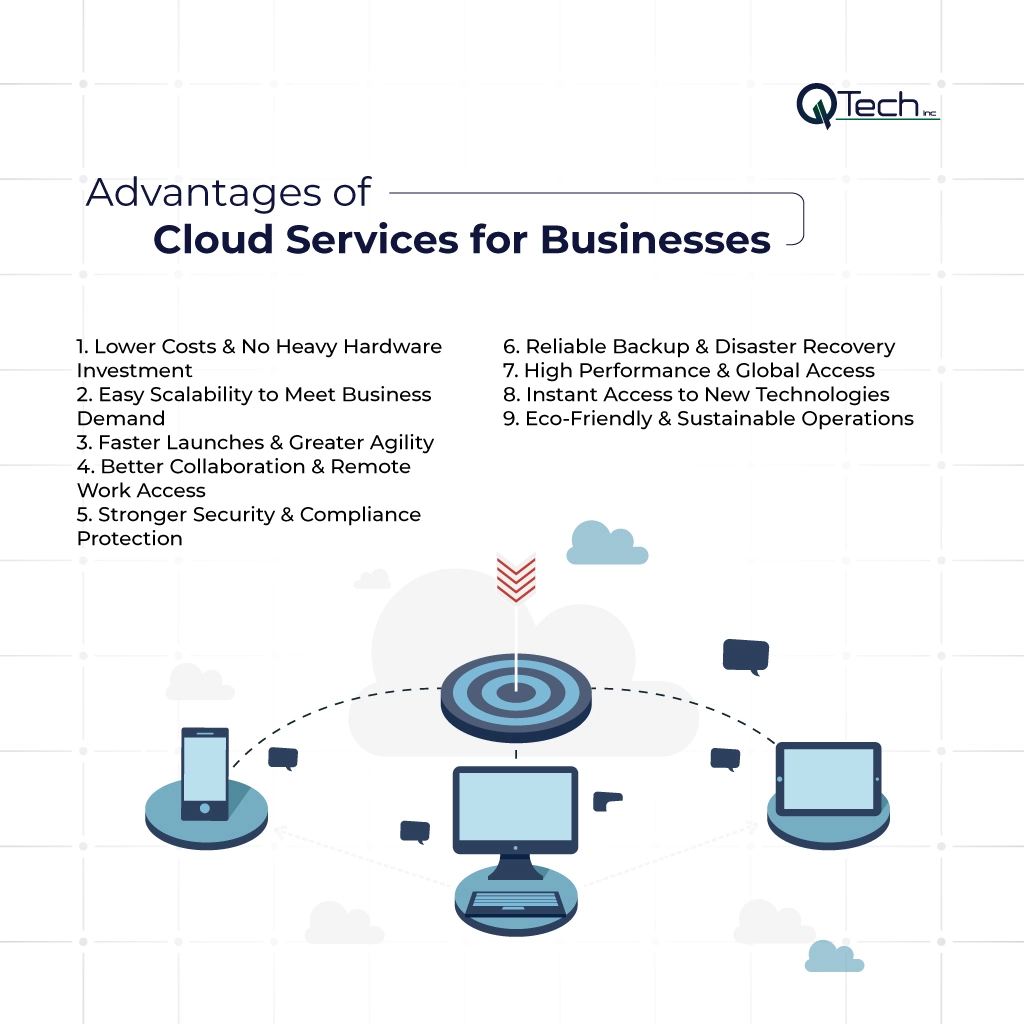
1. Lower Costs & No Heavy Hardware Investment
Traditional IT demands large capital investments in servers, networking gear, and backup systems, plus ongoing costs for energy, maintenance, and replacement cycles. With the cloud, those expenses shift to a predictable operating model. You no longer maintain your own data center; instead, you leverage the provider’s infrastructure and expertise to tune performance and cost.
This approach delivers significant benefits of cloud computing: reduced CapEx, simplified budgeting, and minimized risk of over- or under-provisioning hardware. For many organizations, this cost efficiency alone justifies a move to cloud services, freeing funds to invest in innovation and growth.
2. Easy Scalability to Meet Business Demand
Cloud platforms are designed to scale. Whether you run a seasonal e-commerce store or a SaaS platform experiencing rapid adoption, you can add computing power, memory, and cloud storage in minutes. This elasticity supports dynamic deployment models from public to hybrid and multi-cloud, and ensures your environment grows with your business, not against it.
Scalability is especially critical for growing businesses with variable traffic loads, where demand can surge unexpectedly.
3. Faster Launches & Greater Agility
In the cloud, launching a new application or feature no longer involves weeks of procurement and configuration. Development teams can access ready-made environments, tools, and test data in hours, enabling rapid experimentation and continuous delivery.
This agility is powered by flexible service models (IaaS, PaaS, and SaaS) and automated pipelines that integrate with your existing tools. As a result, your organization can respond faster to market changes, adopt new technologies, and bring ideas to life without being slowed down by legacy systems.
4. Better Collaboration & Remote Work Access
Modern teams are distributed across cities, countries, and time zones. Cloud-based collaboration tools and software as a service platforms make it easy for employees, contractors, and partners to securely access data and applications from anywhere.
Shared storage, real-time editing, and integrated communication tools empower remote and hybrid teams to work productively, whether they are in the office or on the move. These benefits of cloud services help you attract top talent, support flexible work, and build resilient operations that are not dependent on a single location.
5. Stronger Security & Compliance Protection
Security is often cited as a concern for new cloud adopters, but the reality is that leading providers invest heavily in advanced protection that many businesses cannot match on their own. Encryption, identity and access management, continuous monitoring, and integrated threat detection are built into modern cloud environments.
6. Reliable Backup & Disaster Recovery
Cloud-based backup and DR solutions ensure that your critical data and applications are protected against hardware failures, cyber incidents, and natural disasters. Automated backups, geo-redundant storage, and defined recovery time objectives (RTOs) mean you can restore systems quickly and minimize downtime.
Instead of managing tape backups or manual processes, you define policies and let the platform handle the rest. This is one of the most practical benefits of cloud services for organizations that cannot afford extended interruptions, particularly in healthcare, finance, and other mission-critical sectors.
7. High Performance & Global Access
Cloud providers operate global networks of data centers optimized for speed, redundancy, and performance. Whether your customers are in Miami, London, or Tokyo, you can serve them using infrastructure that is geographically close, reducing latency and improving user experience.
This global footprint, combined with content delivery networks and advanced routing, ensures that websites, APIs, and applications remain fast and responsive. For organizations expanding into new markets, the cloud makes international growth far more achievable than building physical infrastructure in every region.
8. Instant Access to New Technologies
One of the most exciting benefits of cloud computing is easy access to advanced AI and machine learning services. Instead of building your own machine learning model from scratch, you can consume pre-built APIs for image recognition, forecasting, or natural language processing, or deploy your own machine learning algorithms on scalable infrastructure.
Cloud platforms also enable experimentation with neural networks, reinforcement learning, and handling unlabelled data for sophisticated analytics. In many cases, these advanced capabilities are just another service ready to integrate into existing systems and unlock powerful insights from your real-world business data.
9. Eco-Friendly & Sustainable Operations
By consolidating workloads into highly efficient data centers, cloud providers help reduce overall energy consumption and carbon footprint. Instead of running underutilized hardware on-site, businesses share optimized infrastructure that is designed for sustainability.
This shift supports corporate environmental, social, and governance (ESG) goals while also lowering operational costs. In a landscape where customers and partners increasingly value sustainability, cloud-powered efficiency becomes both a moral and strategic advantage.
Who Can Benefit Most from Cloud Services?
While nearly every organization can benefit from cloud adoption, some segments gain particular value from the flexibility and scalability cloud provides. Understanding these profiles can help you see where your business fits and which cloud strategies are likely to have the greatest impact.
Startups & SMEs with Limited Budget
For startups and small to mid-sized enterprises, large upfront IT investments can be a major barrier to growth. Cloud removes that barrier, allowing smaller organizations to leverage enterprise-grade infrastructure and tools without heavy capital expenditure.
By paying only for what they use and leveraging flexible cloud computing models, these businesses can test ideas quickly, adapt their environments, and scale successful initiatives without being constrained by traditional hardware cycles.
Growing Businesses with Variable Traffic Loads
Companies experiencing rapid growth or seasonal spikes, such as e-commerce brands or digital platforms, often face unpredictable demand. Cloud’s elastic capacity allows these organizations to scale resources up or down dynamically.
This ensures that customers experience consistent performance even during peak periods, while costs remain aligned with actual usage. For these businesses, the advantages of cloud services for businesses include both technical reliability and financial flexibility.
Remote / Distributed Teams & Agencies
Creative agencies, consultancies, and distributed teams rely on seamless collaboration and access to shared tools. Cloud-hosted email, storage, project management, and communication platforms centralize work and keep everyone aligned.
Whether your teams are working on complex software applications or multi-channel campaigns, cloud-based collaboration makes it easier to coordinate, share assets securely, and maintain productivity across time zones.
Enterprises Needing High Availability & Compliance
Large enterprises with strict uptime and compliance requirements benefit from the cloud’s mature security, redundancy, and governance capabilities. Multiple availability zones, automated failover, and granular policy controls are built into platforms such as Microsoft Azure.
With expert guidance, enterprises can design architectures that meet both regulatory standards and business continuity goals, ensuring that mission-critical systems remain secure, available, and auditable.
Common Use-Cases: How Businesses Use Cloud Services
There are countless ways to leverage the cloud, but certain patterns have emerged as the most common use cases of cloud services. These scenarios help illustrate how organizations turn cloud capabilities into real-world outcomes.
Web Hosting & Application Deployment
Many organizations start by moving websites and customer-facing applications into the cloud. Hosting in the cloud simplifies deployment, improves performance, and enhances security through managed services like web application firewalls and DDoS protection.
Developers can roll out new versions quickly, using pipelines that connect source code repositories to staging and production environments. This makes the cloud ideal for agile teams that release features frequently and need to maintain high availability.
Data Storage & Backup
Cloud platforms excel at secure, scalable cloud storage. Whether you’re archiving historical records, storing media assets, or protecting transactional data, the cloud offers resilient options with flexible retention policies.
By centralizing storage in the cloud, businesses simplify backup processes, improve recovery times, and avoid the limitations of on-premises hardware. This forms the backbone of a modern data strategy and supports compliance and reporting.
Software as a Service (SaaS) Tools & Collaboration
SaaS platforms deliver ready-to-use capabilities for CRM, marketing automation, HR, finance, and more. Because these tools are delivered as software as a service, users always have the latest features without manual upgrades.
SaaS is especially powerful for collaboration, enabling teams to share documents, track tasks, and communicate in real time. These features help organizations unify workflows and break down silos across departments.
Data Analytics & Big Data Workloads
Cloud resources are ideal for advanced analytics, where large datasets and intensive processing are common. You can run machine learning model training, apply machine learning algorithms to streaming data, and leverage neural networks to uncover patterns that traditional reporting cannot.
This makes it easier to convert raw, even unlabelled data, into insights that guide decision-making—from customer segmentation to predictive maintenance. In short, the cloud makes sophisticated analytics accessible to businesses of all sizes.
Development & Testing Environments
Creating and managing dev/test environments on-premises is often slow and expensive. In the cloud, teams can provision environments on demand, experiment with new operating systems, and tear down resources when they’re no longer needed.
This flexibility supports modern DevOps practices and accelerates delivery cycles. It also mitigates risk by keeping development environments isolated from production, while still enabling realistic testing and performance evaluations.
Challenges & Considerations (and How to Mitigate Them)
Cloud adoption is powerful, but it isn’t without challenges. Successful organizations recognize potential pitfalls early and address them proactively through solid planning, governance, and partnership.
Vendor Lock-in & Multi-Cloud / Hybrid Cloud Strategy
Relying heavily on a single provider can create concerns about vendor lock-in. To mitigate this, many organizations design architectures that can run across multiple platforms or combine on-premises resources with public cloud in a hybrid model.
Thoughtful deployment models, including multi-cloud and hybrid strategies, give you the flexibility to negotiate better terms, maintain resilience, and avoid overdependence on one ecosystem.
Data Privacy & Compliance Requirements
Different industries and regions impose strict rules on data handling, retention, and access. Moving to the cloud requires careful attention to where data resides, how it is encrypted, and who can access it.
Internet / Connectivity Dependence
Because cloud resources are accessed over the internet, connectivity becomes a critical dependency. Organizations must ensure stable, redundant connections and appropriate network configurations to avoid bottlenecks or downtime.
In many cases, this involves upgrading WAN links, implementing SD-WAN solutions, and monitoring performance to ensure that users experience consistent access to their tools and systems.
Cost Management & Resource Monitoring
Without proper oversight, cloud costs can grow quickly as teams spin up resources and forget to remove them. Effective governance, tagging strategies, and cost dashboards are essential.
How to Get Started with Cloud Adoption — Best Practices
Moving to the cloud is not a single project; it’s a strategic journey. Following proven best practices helps ensure a smooth transition and maximizes the return on your investment.
Assess Your Needs & Workloads
Begin by evaluating your existing systems, performance requirements, and regulatory obligations. Identify which workloads are best suited for the cloud, which should remain on-premises, and which may benefit from modernizing before migration.
This assessment forms the foundation for your cloud roadmap, helping you prioritize quick wins and plan for more complex transformations over time.
Start with Non-Critical Workloads (Backup, Dev/Test)
Many organizations start by moving backups, archives, and dev/test environments to the cloud. These workloads are important, but not customer-facing, which reduces risk while you gain experience with the platform.
This phased approach allows you to learn, refine your governance processes, and build internal confidence before migrating core business systems.
Choose The Right Cloud Service Model (IaaS / SaaS / PaaS / Hosting)
Selecting the right blend of IaaS, PaaS, SaaS, hosting, and storage is key. Consider your team’s skills, your appetite for customization, and the speed at which you need to move.
Some functions may be best served by ready-made SaaS tools, while others require the flexibility of IaaS or the developer-friendly features of PaaS.
Define Security & Governance Policies
Before scaling cloud usage, establish clear policies for identity management, access control, encryption, logging, and incident response. Document who can create resources, how they should be tagged, and how compliance will be monitored.
These guardrails protect your environment as cloud usage expands and ensure that security remains a built-in feature, not an afterthought.
Monitor Usage & Optimize Costs
Effective monitoring is essential for both performance and cost control. Implement tools that track resource utilization, alert on anomalies, and provide insight into where optimization is possible.
Plan for Disaster Recovery & Backups
A robust best practices for cloud services strategy always includes a well-defined disaster recovery plan. Design backup schedules, test recovery procedures, and document RTO/RPO objectives.
By validating your DR capabilities regularly, you ensure that your organization can respond quickly and effectively when unexpected events occur.
Conclusion: Gain a Competitive Advantage Through Cloud Services with Q-Tech Inc.
The cloud is more than a technology trend; it is a strategic platform for innovation, resilience, and growth. By embracing modern types of cloud services, leveraging intelligent capabilities like machine learning, and following proven best practices, organizations can unlock new efficiencies and deliver better experiences to customers in every market they serve.
Q-Tech Inc. partners with businesses at every stage of this journey, from early exploration to complex multi-cloud architectures. Whether you’re just starting with cloud services or ready to transform your entire environment through optimized managed IT operations, Q-Tech Inc. helps you design, implement, and manage cloud solutions that align with your goals.
With the right strategy and the right partner, the advantages of cloud services become a powerful engine for long-term business success.
FAQ
Q: Is the cloud more secure than on-premise servers?
A: For most small and medium-sized businesses, yes. Leading cloud providers like AWS, Azure, and Google Cloud invest billions in security—far more than any individual company could. They offer enterprise-grade security features, 24/7 monitoring, global compliance certifications, and automated patching. However, security in the cloud is a shared responsibility model. The provider secures the infrastructure, but the customer is responsible for securing their data, applications, and access controls.
Q: How does cloud computing save money?
A: Cloud computing saves money by converting capital expenses into operational expenses. You avoid costs for purchasing and maintaining physical servers, networking equipment, data center space, and utilities (power, cooling). You also save on IT staff for routine maintenance. Instead, you pay a predictable monthly subscription fee based on your actual usage. This model improves cash flow and allows IT budgets to shift from maintenance to innovation.
Q: What are the different types of cloud services?
A: The three main types are:
- IaaS (Infrastructure as a Service): Rent virtualized computing resources (servers, storage, networking).
- PaaS (Platform as a Service): Provides a platform for developing, running, and managing applications without dealing with the underlying infrastructure.
- SaaS (Software as a Service): Access software applications over the internet on a subscription basis (e.g., Microsoft 365, Salesforce). Each offers different levels of control and management.
Q: What should businesses consider before migrating to cloud services?
A: Businesses should assess their workloads, pick the right service model (IaaS / SaaS / PaaS), ensure data security & compliance, plan backups and disaster recovery, and monitor resource usage to optimize costs. Vendor lock-in, data governance, and internet connectivity are also important considerations.