

Cloud cost optimization is the process of reducing unnecessary cloud spending while maintaining the performance, reliability, security, and scalability your business needs. It involves continuously reviewing how cloud resources are used, identifying waste, improving workload efficiency, and making smarter decisions about architecture and pricing.
For many organizations, the problem is not simply that they spend too much on the cloud. The bigger challenge is that they do not always know why they are spending what they spend or which costs can be reduced without affecting operations.
A virtual machine may be oversized. Development environments may continue running overnight. Old snapshots may no longer be needed. Data transfer patterns may be more expensive than expected. Multiple teams may also be creating resources without clear ownership or cost visibility.
Effective cloud cost optimization addresses these issues systematically.
This guide explains what cloud cost optimization is, why it matters, and the most practical strategies businesses can use to improve cloud cost efficiency across compute, storage, networking, and other cloud resources.
What Is Cloud Cost Optimization?
Cloud cost optimization is the ongoing process of analyzing cloud usage and spending to eliminate waste and improve the value your organization receives from its cloud investment.
It applies to resources and services such as:
- Virtual machines and compute instances
- Containers and Kubernetes workloads
- Serverless services
- Cloud storage
- Databases
- Networking and data transfer
- Backup and snapshots
- Software and cloud services
The goal is not simply to make the monthly cloud bill as low as possible.
A business that aggressively reduces resources may lower costs temporarily but create performance problems, availability risks, or poor customer experiences. True cloud cost optimization balances cost with business and technical requirements.
In practical terms, the process asks questions such as:
- Are we paying for resources that are not being used?
- Are our workloads larger than they need to be?
- Can capacity scale automatically instead of remaining fixed?
- Are we using the right pricing model?
- Can we move data or workloads more efficiently?
- Who owns each cloud cost?
- Are teams able to see the financial impact of their decisions?
The answers help organizations reduce waste while making cloud spending more intentional.
Cloud Cost Optimization vs Simple Cost Cutting
Cloud cost optimization and cost cutting are not the same thing.
Cost cutting often focuses on reducing spending as quickly as possible. Cloud cost optimization focuses on improving efficiency and value.
For example, shutting down a production resource may reduce costs, but it could also create downtime. Rightsizing an overprovisioned instance, on the other hand, may reduce spending while maintaining the performance the workload actually requires.
A good optimization strategy considers trade-offs before changes are made.
Which Cloud Costs Can Be Optimized?
Most cloud environments have opportunities across several areas.
Compute costs can often be improved through rightsizing, autoscaling, scheduling, and workload optimization.
Storage costs may be reduced by using appropriate storage tiers, removing unnecessary data, and reviewing retention policies.
Network costs may require examining data transfer patterns, application architecture, and communication between regions or services.
Pricing costs can be optimized through the right mix of on-demand resources, commitments, reserved capacity, and other provider-specific pricing options.
The first step is understanding where money is actually being spent.
Why Is Cloud Cost Optimization Important?
Cloud platforms make it easy to provision resources quickly. That flexibility is one of their greatest advantages, but it can also make spending harder to control.
A resource created for a temporary project may remain active after the project ends. A team may provision extra capacity to avoid performance problems and never revisit the configuration. As cloud environments grow, these individual decisions can become difficult to track.
Cloud cost optimization helps organizations address this problem.
Reduce Unnecessary Cloud Waste
Unused and underutilized resources can quietly increase cloud spending.
Examples may include:
- Idle compute instances
- Oversized virtual machines
- Unattached storage volumes
- Old snapshots
- Unused IP addresses
- Development environments running outside working hours
- Duplicate or abandoned resources
Regular audits and automated monitoring make these opportunities easier to identify.
Improve Financial Visibility
Optimization starts with understanding costs.
Businesses need to know:
- Which teams generate costs
- Which applications consume the most resources
- Which projects are increasing spending
- Whether spending is aligned with budgets
- Where unexpected cost increases occur
This visibility allows IT, finance, and business teams to make better decisions together.
Protect Performance While Controlling Costs
One of the most important principles of cloud optimization is avoiding false savings.
A configuration that reduces spending but creates:
- Application latency
- Reliability problems
- Security risks
- Downtime
- Poor customer experiences
may cost the business more in the long run.
The objective is efficient performance, not simply the lowest possible bill.
The flexibility and scalability that make cloud technology attractive can also create new spending challenges when resources are not monitored carefully. Understanding the broader advantages of cloud services for businesses can help decision-makers balance growth, performance, and cost efficiency as their cloud environment evolves.
Cloud Cost Management vs Cloud Cost Optimization
These terms are closely related but serve different purposes.
| Cloud Cost Management | Cloud Cost Optimization |
| Tracks cloud spending | Improves cloud spending |
| Provides reporting and visibility | Identifies actions to reduce waste |
| Helps allocate costs | Improves resource efficiency |
| Supports budgets and forecasting | Optimizes usage, architecture, and pricing |
| Explains where money goes | Helps determine how to make spending more efficient |
Cloud cost management provides the information needed for optimization.
For example, a cost report may reveal that compute spending increased by 25%. Optimization then investigates why it increased and determines whether the resources are necessary, oversized, or poorly configured.
Both should work together.
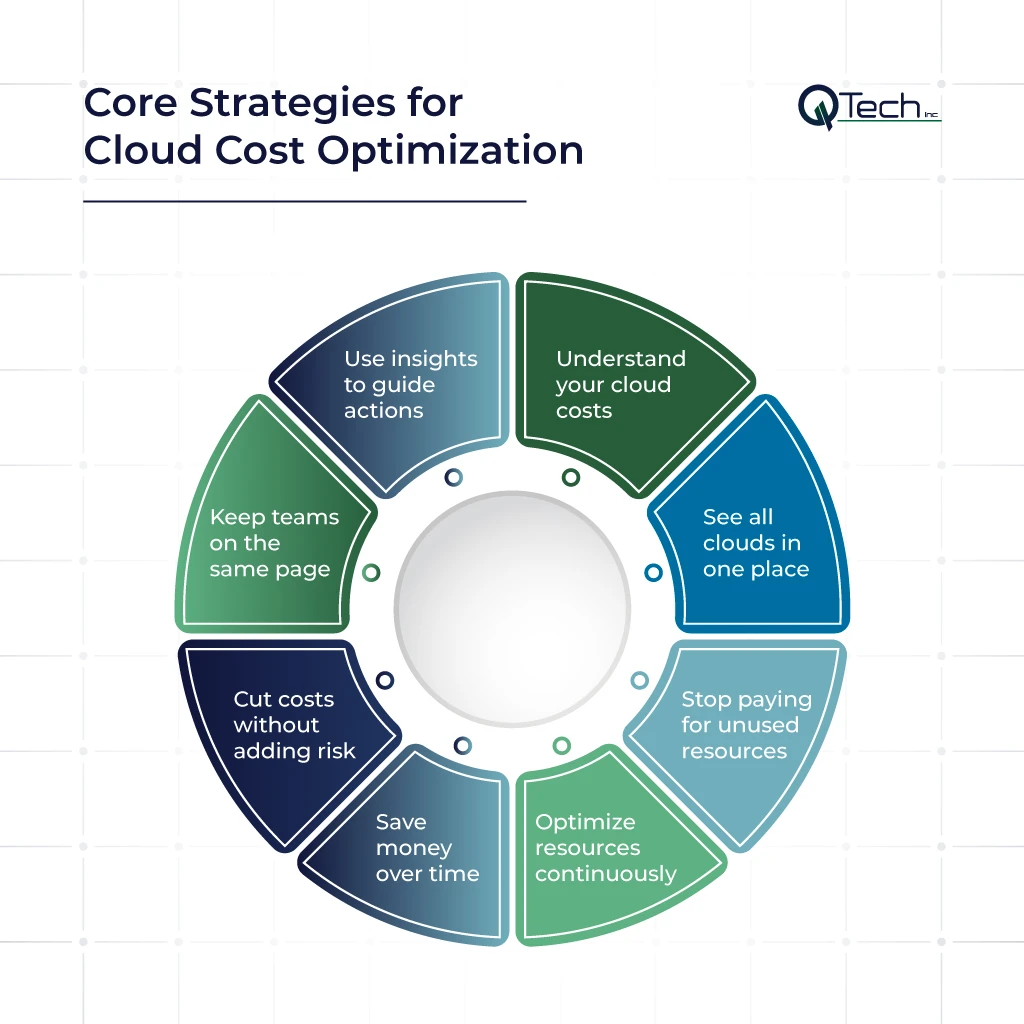
The 12 Most Effective Cloud Cost Optimization Strategies
1. Build Complete Visibility Into Cloud Spending
You cannot optimize costs you cannot see clearly.
Start by creating visibility into:
- Total cloud spending
- Spending by service
- Spending by application
- Spending by environment
- Spending by team
- Spending trends over time
For organizations using multiple cloud providers, visibility becomes even more important because billing structures and terminology may differ between platforms.
Your goal should be to answer:
What are we spending money on, who owns it, and why?
Cloud provider billing tools can help establish this baseline, while centralized platforms may provide additional visibility across complex environments.
2. Identify and Remove Unused Resources
Unused resources are often among the easiest optimization opportunities.
Look for:
- Idle instances
- Unattached storage
- Obsolete backups
- Unused snapshots
- Unused load balancers
- Forgotten test environments
- Resources created for completed projects
However, avoid deleting resources based only on their age.
Before removing anything, confirm:
- Who owns the resource
- Whether it supports another workload
- Whether retention requirements apply
- Whether backups are still required
- Whether the resource can be safely recreated
The goal is controlled cleanup rather than aggressive deletion.
Regular resource reviews should become part of normal cloud operations.
3. Rightsize Cloud Resources
Rightsizing means matching resources to actual workload requirements.
Overprovisioning is common because organizations often select larger resources than necessary to prevent performance issues.
But workloads change.
A server that required significant capacity six months ago may now use only a fraction of that capacity. Another workload may require more resources during specific periods but not continuously.
Review metrics such as:
- CPU utilization
- Memory usage
- Storage consumption
- Network activity
- Application performance
- Peak usage patterns
Then determine whether the resource should be:
- Downsized
- Resized
- Consolidated
- Reconfigured
- Removed
Rightsizing should always consider performance requirements rather than relying on utilization numbers alone.
AWS, for example, provides rightsizing recommendations designed to identify EC2 instances that may be downsized or terminated based on utilization data.
4. Use Autoscaling and Scheduling
Fixed capacity is not always efficient.
Autoscaling allows resources to increase or decrease based on demand.
This is especially useful for workloads with predictable or variable traffic patterns.
Examples include:
- Websites with daytime traffic peaks
- Seasonal applications
- E-commerce platforms
- Internal applications used only during business hours
Scheduling can also reduce unnecessary costs.
For example, non-production environments may not need to run continuously.
A development environment that is only used during working hours could potentially be scheduled to shut down when it is not needed, provided doing so does not interfere with operations.
Before implementing automation, define:
- Minimum capacity
- Maximum capacity
- Scaling triggers
- Performance thresholds
- Recovery requirements
Automation should reduce manual work without creating unexpected availability issues.
Not every workload should use the same pricing model.
5. Optimize Pricing and Commitment Discounts
Organizations often benefit from reviewing which workloads are:
- Predictable
- Variable
- Temporary
- Critical
- Fault tolerant
Stable workloads may be suitable for longer-term commitment options offered by cloud providers.
Highly variable workloads may benefit more from flexible consumption models.
The key is avoiding long-term commitments before understanding workload behavior.
A practical approach is:
- Monitor usage
- Identify stable workloads
- Estimate future demand
- Review pricing options
- Commit only where appropriate
- Reassess as workloads change
Pricing optimization should follow usage analysis—not replace it.
6. Use Spot or Interruptible Capacity Where Appropriate
Some cloud providers offer lower-cost capacity for workloads that can tolerate interruptions.
These options can work well for:
- Batch processing
- Data analysis
- CI/CD workloads
- Testing
- Containerized workloads
- Fault-tolerant applications
They are generally less appropriate for workloads that require uninterrupted capacity unless the architecture is specifically designed to handle interruptions.
The important question is not:
Can we use lower-cost capacity?
It is:
Can this workload continue operating safely if the capacity changes or becomes unavailable?
Architecture determines whether this strategy is appropriate.
7. Optimize Cloud Storage
Storage costs can increase gradually as businesses retain more:
- Backups
- Snapshots
- Logs
- Application data
- Media files
- Databases
- Archived information
A storage optimization review should examine:
Data classification
How frequently is the data accessed?
Storage tier
Is the current storage class appropriate for how the data is used?
Retention
How long does the organization actually need to keep the data?
Duplication
Are multiple copies necessary?
Lifecycle management
Can older data move automatically to a lower-cost storage tier?
Storage optimization should not mean removing data without considering recovery requirements. Businesses also need to understand the difference between cloud backup and cloud storage, since storage platforms are primarily designed for access and collaboration while backup systems are designed to support data recovery after loss, corruption, or disruption.
8. Review Network and Data Transfer Costs
Network costs are sometimes overlooked because teams focus primarily on compute and storage.
Review:
- Data transfer between regions
- Communication between services
- Data movement between cloud providers
- Application architecture
- External data transfer
- Content delivery requirements
Unnecessary data movement can increase costs and sometimes affect application performance.
Optimization opportunities may include:
- Keeping related workloads closer together
- Reducing unnecessary data transfer
- Improving application architecture
- Reviewing replication strategies
- Using appropriate content delivery services
Network optimization should consider both cost and application requirements.
9. Improve Workload Architecture and Placement
Cloud cost optimization is not only a billing exercise.
Sometimes the biggest opportunity comes from changing how an application is designed or where a workload runs.
Consider whether the workload is using the most appropriate:
- Compute model
- Database
- Storage architecture
- Region
- Scaling configuration
- Application architecture
For example, an inefficient application may consume more compute resources than necessary. Improving application efficiency may reduce infrastructure requirements.
Microsoft’s cost optimization guidance also treats architecture, usage optimization, rate optimization, and continuous monitoring as connected parts of the process rather than isolated tasks.
Before changing architecture, evaluate:
- Implementation cost
- Expected savings
- Operational complexity
- Performance impact
- Reliability
- Security requirements
Cost should not be the only factor when deciding where workloads should run. Architecture decisions also affect security, compliance, performance, and operational control, which is why businesses should evaluate the differences between cloud security and on-premise security before optimizing or relocating critical workloads.
Not every optimization opportunity is worth pursuing immediately.
10. Implement Cost Allocation and Tagging
Cloud costs are difficult to manage when nobody knows who owns a resource.
A consistent tagging or resource-labeling strategy can help identify:
- Application owner
- Department
- Project
- Environment
- Cost center
- Business unit
For example:
- Production
- Development
- Testing
- Marketing
- Finance
- Customer application
The exact naming structure should fit the organization, but consistency matters.
Cost allocation improves accountability because teams can see the financial impact of the resources they create and manage.
It also supports:
- Budgeting
- Forecasting
- Reporting
- Chargeback
- Showback
11. Automate Cost Monitoring and Anomaly Detection
Manual cloud cost reviews can identify problems, but they may not catch unexpected changes quickly enough.
Automated monitoring can help detect:
- Sudden spending increases
- Unusual resource usage
- Unexpected service activity
- Budget thresholds
- Changes in consumption patterns
A useful system should provide alerts that teams can actually investigate.
Too many alerts can create alert fatigue.
Focus on meaningful events such as:
- Significant deviation from expected spending
- Budget thresholds
- Unusual resource growth
- New high-cost services
- Unexpected production activity
Automation should support decision-making rather than simply generate more notifications.
12. Establish FinOps and Continuous Governance
Cloud cost optimization becomes more effective when it is treated as an ongoing organizational practice rather than a one-time IT project.
This is where FinOps becomes useful.
FinOps brings together technology, finance, and business stakeholders to improve financial accountability and maximize the value generated from technology spending.
The FinOps Framework emphasizes collaboration, accessible and timely cost data, ownership of technology usage, and optimizing both usage and cost.
A practical governance process may include:
- Clear resource ownership
- Cost allocation standards
- Budget responsibility
- Approval policies
- Regular optimization reviews
- Performance monitoring
- Automated guardrails
- Shared reporting
Cloud optimization works best when cost awareness becomes part of everyday technology decisions.
How to Implement a Cloud Cost Optimization Strategy
For businesses that are still planning their move to the cloud, cost optimization should begin before workloads are deployed. A well-defined cloud migration strategy can help identify the right workloads, architecture, and resource requirements before unnecessary cloud spending becomes an ongoing problem.
Step 1: Establish a Cost Baseline
Start by documenting your current cloud environment.
Understand:
- Total monthly spending
- Largest cost categories
- Spending trends
- Resource ownership
- Major workloads
- Current budgets
This baseline makes future improvements measurable.
Step 2: Find Quick Wins
Look for opportunities that provide value with relatively low risk.
Examples may include:
- Unused resources
- Idle development environments
- Oversized instances
- Obsolete snapshots
- Missing schedules
Do not make changes without understanding dependencies.
Step 3: Prioritize by Impact and Risk
Create a simple prioritization model.
High impact, low risk
Prioritize first.
High impact, high risk
Plan carefully.
Low impact, low risk
Automate where practical.
Low impact, high risk
Reconsider whether the change is worthwhile.
This prevents teams from spending significant effort on changes with limited business value.
Step 4: Assign Ownership
Every significant cloud resource should have an identifiable owner.
That does not mean engineers alone are responsible for cloud costs.
Effective ownership requires collaboration between:
- Engineering
- IT operations
- Finance
- Business leaders
- Application owners
Clear ownership prevents resources from becoming invisible.
Step 5: Monitor and Optimize Continuously
Cloud environments change constantly.
New applications are deployed. Usage patterns change. Teams create new resources. Pricing models evolve.
For this reason, cloud cost optimization should be continuous.
Review regularly:
- Resource utilization
- Spending trends
- Budgets
- Forecasts
- Performance metrics
- Architecture decisions
- Optimization recommendations
The best optimization strategy is one that continues adapting.
Cloud Cost Optimization Best Practices
A sustainable cloud optimization program usually follows several principles.
Optimize Based on Business Value
Not every workload deserves the same optimization effort.
Prioritize resources based on:
- Business importance
- Customer impact
- Cost
- Performance requirements
- Risk
Avoid Optimizing in Isolation
Cost decisions can affect:
- Security
- Performance
- Reliability
- Development productivity
- Customer experience
Involve the appropriate stakeholders.
Automate Repetitive Tasks
Automation can help with:
- Scheduling
- Resource cleanup
- Alerts
- Reporting
- Policy enforcement
However, automation should be tested carefully before applying it broadly.
Review Optimization Recommendations
Cloud providers may generate recommendations based on resource usage.
These recommendations are valuable starting points but should not automatically be implemented without considering application requirements.
Measure Results
Track whether optimization actions actually achieved the intended outcome.
Measure:
- Cost reduction
- Resource utilization
- Performance
- Availability
- Forecast accuracy
Optimization is successful when efficiency improves without creating new problems.
Common Cloud Cost Optimization Challenges
Limited Visibility
Teams cannot optimize resources they cannot identify or understand.
Improve:
- Tagging
- Cost allocation
- Reporting
- Resource ownership
Multi-Cloud Complexity
Different providers may have different:
- Pricing structures
- Billing terminology
- Discount models
- Reporting formats
Centralized reporting and clear governance can help create a more consistent view.
Fear of Affecting Performance
Teams may avoid optimization because they worry about outages.
The solution is controlled testing and prioritization—not avoiding optimization completely.
Start with lower-risk opportunities.
Lack of Ownership
If everyone assumes someone else is responsible for cloud spending, waste can continue.
Assign ownership clearly.
Treating Optimization as a One-Time Project
A one-time cleanup can reduce costs temporarily.
Without monitoring and governance, new waste can accumulate.
Cloud optimization should become part of normal operations.
Cloud Cost Optimization for Small Businesses vs Enterprises
The core principles are similar, but the approach may differ.
Small Businesses
Small businesses often benefit from focusing on:
- Basic cost visibility
- Resource cleanup
- Rightsizing
- Budget alerts
- Environment scheduling
- Provider-native tools
The priority should be simple processes that the team can maintain.
Enterprises
Larger organizations may need:
- Multi-cloud visibility
- Advanced allocation
- Governance policies
- Automation
- Chargeback or showback
- FinOps practices
- Forecasting
- Architecture optimization
The right strategy depends on environment complexity.
How to Measure Cloud Cost Optimization Success
Do not measure success only by looking at whether the total bill decreased.
A growing business may spend more on the cloud while becoming more efficient.
Useful metrics may include:
- Cost per workload
- Cost per customer
- Cost per transaction
- Resource utilization
- Budget variance
- Forecast accuracy
- Unused resource reduction
- Cost anomaly response time
The best metrics connect technology spending to business value.
When Should You Get Help With Cloud Cost Optimization?
Some organizations can manage cloud optimization internally.
However, outside expertise may be useful when:
- Cloud spending is increasing unexpectedly
- Teams cannot identify the source of costs
- The environment is complex
- Multiple cloud providers are involved
- Internal teams lack time for regular optimization
- Performance and cost problems are connected
- Governance and ownership are unclear
For businesses that need broader support with cloud operations and infrastructure management, Q-Tech Inc. provides cloud and managed IT services in Miami designed to help organizations improve visibility and manage their technology environment more effectively.
Conclusion
Cloud cost optimization is not about reducing your cloud bill at any cost. It is about understanding how resources are used, eliminating unnecessary waste, improving workload efficiency, selecting appropriate pricing models, and continuously balancing cost with performance and business needs — especially when deploying regional cloud services in Miami.
The most effective cloud cost optimization strategies include:
- Building complete cost visibility
- Removing unused resources
- Rightsizing workloads
- Using autoscaling and scheduling
- Optimizing pricing models
- Using lower-cost capacity appropriately
- Reviewing storage
- Optimizing network and data transfer
- Improving workload architecture
- Implementing cost allocation
- Automating monitoring
- Establishing continuous governance
Start with visibility and low-risk opportunities, then build optimization into your ongoing cloud operations. Cloud environments change continuously. Your cloud cost optimization strategy should too.
FAQ
Q: What is the quickest way to reduce my cloud bill?
A: The quickest wins are usually eliminating waste and rightsizing. Start by using your cloud provider’s cost tool to identify and terminate completely unused resources (orphaned EBS volumes, unattached IPs, old snapshots). Then, analyze compute utilization and downsize any massively over-provisioned virtual machines. These actions can often reduce costs by 10-20% within days.
Q: What is the difference between Reserved Instances and Savings Plans?
A: Reserved Instances (RIs) are a discount applied to a specific instance type in a specific region. Savings Plans are a flexible discount model where you commit to a consistent amount of compute usage (e.g., $10/hour) in exchange for a lower rate, and the discount automatically applies to any instance family and region you use. Savings Plans are generally more flexible and easier to manage than RIs.
Q: When should I use Spot Instances?
A: Use Spot Instances for stateless, fault-tolerant, and flexible workloads that can handle interruptions. Ideal use cases include batch processing, containerized workloads, CI/CD pipelines, and big data analytics. Do not use them for stateful databases or critical, always-on application components.
Q: What is FinOps?
A: FinOps is a cultural practice and operational framework that brings together finance, technology, and business teams to drive financial accountability and maximize the business value of the cloud. It’s not just about cutting costs, but about making smarter spending decisions that enable faster innovation.