
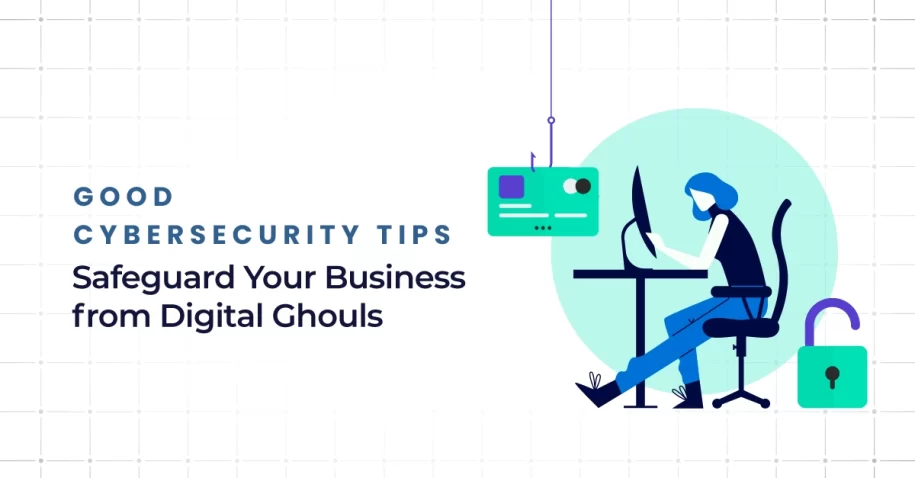
Cyber threats do not need a haunted house to cause damage. They only need one careless click, one outdated device, or one weak login. In 2026, businesses of every size face phishing attacks, ransomware, and data breaches that can disrupt operations and erode trust. This guide shares good cybersecurity tips to safeguard your business from digital ghouls by focusing on practical steps that support small business security, business data protection, and long-term growth.
How Can Businesses Defend Against “Digital Ghouls” in 2026?
The best defense starts with a layered protection strategy. Companies must protect data across users, networks, cloud platforms, operating systems, and mobile devices. That means combining data protection strategies, online security tips, and digital security best practices into one plan. Effective risk management begins with regular risk assessments, controlled data access, and policies that keep personal information, sensitive information, and personally identifying information secure before attackers can exploit a weakness.
Tip #1: Beware of Phishing Phantoms
Phishing remains one of the most common ways criminals break into a business. A fake phishing email, a suspicious phishing message, or even fraudulent text messages can trick employees into revealing a password, downloading malware, or sharing a credit card number. Many phishing attacks look polished and urgent, which is why phishing prevention must be treated as a core part of any effort to protect from cyber threats.
How to Fix
Train employees to pause before reacting. They should verify the sender, inspect links, and report any phishing attempt immediately. Use email filtering, domain protection, and login alerts to reduce exposure. Teach your team to question urgency, payment requests, and unexpected file attachments. When phishing prevention becomes part of daily habits, your company is better equipped to protect data and avoid exposing sensitive data to criminals.
Tip #2: Exorcise Weak Passwords with MFA
Weak passwords still open the door to serious security issues. When employees reuse simple logins across multiple tools, one stolen credential can give attackers broad data access. Strong password management is essential because many breaches begin with a compromised account rather than a dramatic hack. Multi-factor authentication adds another barrier, making it much harder for bad actors to move through your systems even if a password is exposed.
How to Fix
Require long, unique passwords for every account and support them with a password manager. Then enable MFA on email, cloud applications, banking tools, and remote access systems. This simple step strengthens business data protection and improves ransomware protection because attackers often depend on account takeovers to launch larger campaigns. Strong password management also supports broader data protection strategies by reducing one of the most common human errors.
Tip #3: Don’t Let Zombie Software Haunt Your Systems
Outdated software is like leaving broken locks on every door in your building. Hackers routinely target unpatched tools, browsers, plugins, and operating system os vulnerabilities because they already know where the weaknesses are. If your software and operating systems fall behind, your company becomes easier to compromise. This applies to desktops, servers, mobile devices, line-of-business tools, and every connected device that touches your network.
How to Fix
Create a formal patching schedule and monitor every asset in your environment. Update applications, firmware, and each operating system OS version as soon as tested patches are available. Remove unsupported programs and retire tools that no longer receive security fixes. Keeping systems current is one of the most reliable digital security best practices because it closes known gaps before they can be used against your business.
Tip #4: Build a Crypt-ic Fortress with Network Segmentation
Not every system in your company should talk to every other system. When networks are flat, a single infected device can give attackers room to spread quickly.
Network segmentation limits movement and helps contain damage. It is especially important for businesses that handle customer records, financial data, or payment details. Segmentation strengthens business data protection by separating sensitive systems from general office traffic and reducing unnecessary exposure.
How to Fix
Divide your environment into logical zones based on function, user role, and risk level. Separate guest Wi-Fi, employee devices, finance systems, servers, and backup storage. Restrict data access based on job needs and monitor traffic between segments. This kind of protection strategy supports small business security because it gives even lean organizations a practical way to protect data, isolate threats, and reduce the likelihood of data breaches.
Tip #5: Train Your Team to Spot the Boogeyman
Technology alone cannot stop every attack. Employees remain one of the strongest lines of defense or one of the weakest. A rushed employee may click a fake invoice, share confidential records, or mishandle personal information without realizing the risk.
Security awareness is not a one-time presentation. It must become an ongoing part of workplace culture if organizations want to maintain data secure practices and reduce avoidable mistakes.
How to Fix
Run short, consistent training sessions throughout the year. Use examples of phishing email scams, fake login pages, suspicious text messages, and social engineering tactics.
Show employees how to protect sensitive information, report issues quickly, and handle credit card or customer records responsibly. The goal is to build habits, not fear. Well-trained teams are far better at spotting cyber threats before they turn into expensive incidents.
Tip #6: Create a Resurrection Plan (Backups & Recovery)
Even with strong safeguards, no system is immune. That is why backups and recovery planning matter so much. If ransomware locks files or an outage corrupts records, recovery speed determines how painful the event becomes.
A solid backup program protects operations, revenue, and trust. It also plays a major role in ransomware protection because a business with usable backups is far less likely to be held hostage.
How to Fix
Maintain secure, tested backups using the 3-2-1 approach: three copies of data, on two types of media, with one copy offsite or offline. Test recovery regularly so you know systems can be restored under pressure. Back up critical files, customer data, financial systems, and operational platforms. Reliable backups are one of the most practical cybersecurity tips because they give businesses a path forward when prevention alone is not enough.
Tip #7: Summon the Experts (Managed Security)
Many organizations know what they should do but lack the time, staff, or visibility to do it well. That is where outside support becomes valuable. Working with a trusted provider can improve monitoring, response times, compliance, and planning.
How to Fix
Start with a professional review of your current environment. Experts can identify weak points, improve logging, tighten access controls, and align tools with your actual risks. They can also help build a stronger protection strategy around phishing prevention, ransomware protection, backup planning, and network security. The right partner turns scattered online security tips into a structured program built to protect from cyber threats over time.
Summary: Proactive Defense with Q-Tech Inc.’s Security Framework
Cybersecurity is no longer optional, and it is never just about antivirus software. It is about proactive decisions, disciplined processes, and a framework that protects people, systems, and data every day. From phishing prevention and password management to patching, segmentation, training, and recovery, these cybersecurity tips help businesses stay resilient. When organizations invest in digital security best practices now, they reduce risk, strengthen trust, and build a safer future with confidence.
FAQ
Q: How can I protect my business from phishing attacks?
A: Train employees to scrutinize emails for suspicious senders, urgent requests, and unexpected links. Implement email filtering solutions, and always verify requests for sensitive data through a different communication channel.
Q: What is the single most effective cybersecurity measure for small businesses?
A: Multi-Factor Authentication (MFA). It blocks over 99.9% of account compromise attacks. Even if a password is stolen, MFA acts as a second lock that digital ghouls can’t easily pick.
Q: How often should I back up my business data?
A: For critical business data, you should back up daily at minimum. Follow the 3-2-1 rule: 3 copies of your data, on 2 different media types, with 1 copy stored offsite (or in a secure cloud, isolated from your network).
Q: Why is patching software so important?
A: Cybercriminals actively scan for known vulnerabilities. When a software update is released, it often fixes a security hole that attackers can exploit. Failing to apply patches leaves that hole open, inviting “digital ghouls” to enter your system.
Q: How can Q-Tech help safeguard my business?
A: Q-Tech offers comprehensive cybersecurity services including risk assessments, managed security monitoring, employee training, and incident response. We help identify the hidden threats and implement layers of defense to keep your business secure.