

In today’s digital-first environment, businesses rely on technology more than ever to maintain operational efficiency, security, and scalability. For managed service providers (MSPs), this shift has intensified the demand for smarter, faster, and more reliable service delivery. The key to meeting this demand lies in automation in managed services, the synergy of AI, RMM, and PSAs for hyper-efficient IT. By integrating intelligent automation, MSPs can reduce repetitive tasks, enhance service quality, and streamline their operations efficiently across all levels of IT management.
What Is Managed Services Automation
Managed services automation is the practice of using technology to streamline and automate routine IT processes such as system monitoring, patch management, ticketing, and incident resolution. Instead of relying solely on manual work, automation introduces automated processes that handle repetitive functions with precision and speed.
At its core, automation in managed services allows managed service providers (MSPs) to improve consistency, accuracy, and scalability while reducing the time-consuming administrative load that comes with data entry, troubleshooting, and reporting. When combined with tools like AI, RMM, and PSA systems, this automation solution becomes the foundation for modern, proactive IT management — driving performance, cost-efficiency, and reliability for both internal teams and clients.
The New Mandate: Why Automation is Non-Negotiable for Modern MSPs
For today’s MSPs, automation is not optional; it’s essential. With IT environments becoming increasingly complex due to hybrid infrastructure, cybersecurity threats, and remote work demands, automation is the only way to maintain high-quality service delivery at scale.
Automation empowers MSPs to manage resources efficiently, allocate technicians intelligently, and ensure projects align with business goals. Whether managing a network, deploying patches, or providing helpdesk support, automating workflows reduces downtime and improves response times across every service channel. This level of efficiency allows MSPs to offer enhanced service quality while optimizing costs and maintaining consistent performance.
Additionally, automation supports better resource management and financial management, enabling MSPs to handle more clients without increasing headcount. It simplifies project oversight for every project manager, streamlines billing processes, and provides detailed visibility into performance metrics that help guide continuous improvement.
The Core Pillars of the Automated MSP
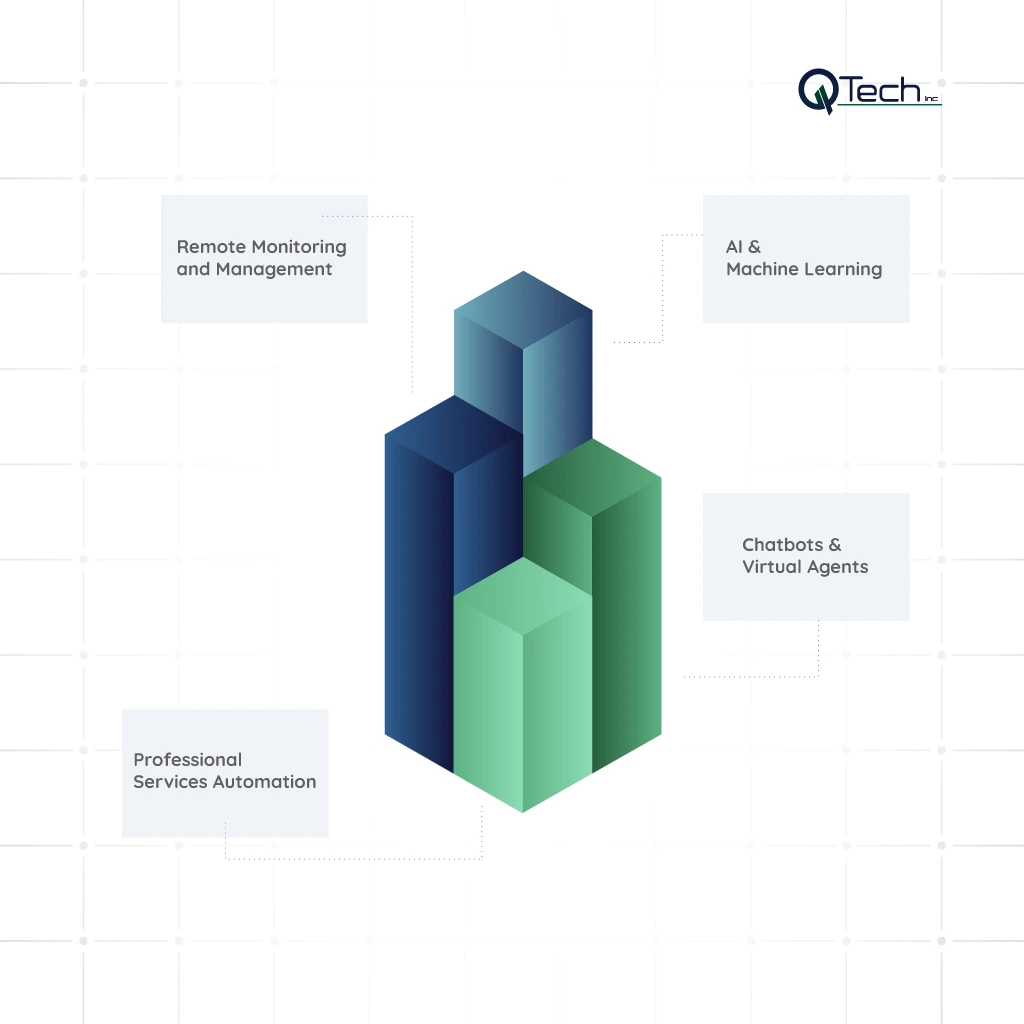
Automation doesn’t exist in isolation. It thrives through the synergy of key tools and platforms that work in unison. The four core pillars, RMM, PSA, AI, and Chatbots, form the backbone of the automated MSP ecosystem.
1: RMM (Remote Monitoring and Management)
Remote Monitoring and Management (RMM) is at the heart of modern MSP automation. It allows providers to oversee client systems, detect anomalies, and manage infrastructure from a centralized dashboard.
RMM automation eliminates many repetitive tasks such as patch deployment, system updates, and performance checks that were once manual and error-prone. It enables MSPs to monitor servers, endpoints, and network devices seamlessly, ensuring that issues are detected and resolved before they escalate.
Key Automation Features: Automated Alerts, Patch Management, Scripting
RMM platforms offer automated alerts that notify teams instantly when a problem arises. Patch management automates software updates to close vulnerabilities, while scripting allows custom automation of maintenance routines. These capabilities empower MSPs to improve operations efficiently, reduce downtime, and free technicians to focus on more strategic initiatives.
2: PSA (Professional Services Automation)
Professional Services Automation (PSA) software is the operational core that brings together service delivery, billing, and project oversight into a single system. PSA tools automation ensures that client tickets, tasks, and resources are managed cohesively and transparently.
By using PSA tools, MSPs can integrate time tracking, invoicing, and SLA management into one platform. This helps reduce data entry errors, streamline project plans, and improve accountability across teams. The result is better resource allocation and predictable service delivery — both crucial for scaling operations while maintaining quality.
Key Automation Features: Ticketing, Billing, SLA Management
PSA systems automate ticket routing and escalation, ensuring faster response times and improved communication. Billing automation reduces manual work while ensuring financial accuracy, and SLA management tools guarantee contractual compliance and service consistency. Combined, these features provide a unified automation platform that supports both service organizations and their clients.
3: AI & Machine Learning
Artificial Intelligence (AI) and machine learning have transformed automation from reactive to predictive. AI for MSPs enhances the ability to forecast failures, detect anomalies, and even optimize IT operations autonomously.
By leveraging AI-powered algorithms, MSPs can identify root causes faster, anticipate outages, and automate troubleshooting without human intervention. This evolution toward AI-powered IT support dramatically reduces downtime and enhances service reliability, enabling teams to focus on innovation instead of firefighting.
Key Automation Features: Anomaly Detection, Predictive Failure Analysis, Root Cause Analysis
AI systems continuously analyze network data, identifying unusual patterns that may indicate a problem. Predictive failure analysis prevents disruptions before they occur, while automated root cause analysis accelerates issue resolution. When integrated with RMM automation and PSA workflows, these capabilities create a fully intelligent ecosystem for managed IT operations.
4: Chatbots & Virtual Agents
Modern MSPs increasingly rely on chatbots and virtual agents to handle Tier-1 support functions and reduce technician workload. These tools use AI to understand user requests, provide instant solutions, and even create or triage tickets automatically.
Key Automation Features: Tier-1 Support, Password Resets, Ticket Triage
Chatbots can manage common time-consuming requests such as password resets, user access changes, or initial diagnostics. By automating these interactions, MSPs deliver faster support while improving client satisfaction and freeing technical staff for more complex projects. This integration between AI-driven bots and backend systems enables automated processes that enhance both efficiency and customer experience.
Implementation Strategy: How to Deploy Automation in Your Managed Services Offering
Transitioning to a fully automated managed service model requires strategy, structure, and measurement. Below are the five essential steps MSPs should follow for successful IT automation implementation.
Step 1: Assess current tools and workflows
Begin by auditing your current systems and processes. Identify where manual workflows are slowing operations or where automation could provide measurable benefits. Look for repetitive tasks, data silos, and inefficient communication channels. Understanding your existing toolset ensures you build an automation roadmap that aligns with business goals and client needs.
Step 2: Choose the right RMM + AI tools
Selecting the right RMM automation and AI integration tools is crucial for scalability and long-term success. Opt for platforms that offer seamless cloud services integration, built-in scripting, and analytics. The ideal combination empowers your team to monitor, analyze, and resolve issues with minimal intervention, ensuring a proactive rather than reactive service model.
Step 3: Pilot small to prove ROI
Before scaling organization-wide, test your automation strategy with a pilot project. Select a specific client or internal department to measure key performance indicators such as ticket resolution time, response times, and cost savings. This phase helps fine-tune your approach and prove the ROI of your chosen automation solution.
Step 4: Automate, integrate, and track metrics
Once the pilot demonstrates positive outcomes, expand automation to additional departments and clients. Focus on integrating your RMM, PSA, and AI systems into a unified automation platform. Establish tracking dashboards to monitor service uptime, client satisfaction, and operational efficiency. Continuous tracking ensures automation delivers measurable improvements across every area of service organizations.
Step 5: Scale, refine, and monitor results
Automation is an evolving process. As your organization grows, so will your need to refine automation scripts, update machine learning models, and optimize resource allocation. Regular reviews help identify new opportunities to automate tasks, enhance predictive analytics, and continuously improve the client experience. MSPs that iterate consistently maintain a competitive edge in an ever-evolving IT landscape.
Conclusion & Q-Tech Inc.’s Role in Service Automation Success
The convergence of AI, RMM, and PSA tools automation represents a transformative era for managed IT services. Automation enables MSPs to deliver enhanced service, streamline project plans, and allocate resources intelligently. By leveraging AI-powered IT support and unified automation platforms, businesses can manage operations more efficiently, reduce costs, and achieve greater scalability.
At Q-Tech Inc., we specialize in building intelligent automation strategies that help businesses accelerate growth and performance. Through our managed IT services and cloud services integration, we help clients harness the power of RMM, PSA, and AI technologies to simplify complex processes, eliminate redundancy, and achieve true operational excellence.
Automation in managed services, the synergy of AI, RMM, and PSAs for hyper-efficient IT, is no longer the future; it’s the present. Businesses that embrace it today will lead tomorrow, operating with unmatched efficiency, insight, and agility in a rapidly changing digital landscape.
FAQ
Q: How is AI used in managed services?
A: AI is used in managed services to add a layer of intelligence and prediction. Key uses include:
- Anomaly Detection: Identifying unusual system behavior that could indicate a future failure or security threat.
- Predictive Analytics: Forecasting hardware failures or capacity issues before they cause downtime.
- Root Cause Analysis: Automatically correlating multiple alerts to find the source of a complex problem.
- Intelligent Alerting: Reducing alert fatigue by filtering out noise and highlighting only critical issues.
Q: What is the difference between RMM and PSA?
A: RMM (Remote Monitoring and Management) is the technical tool that monitors and manages client endpoints (servers, workstations, networks). It’s focused on the ‘what’—what is happening on the devices. PSA (Professional Services Automation) is the business tool that manages ticketing, billing, projects, and the client relationship. It’s focused on the ‘who, when, and how much.’ Automation happens when they are integrated; an RMM alert can automatically create a PSA ticket, and ticket resolution can auto-stop the billing clock.
Q: How does automation benefit the end-client of an MSP?
A: End-clients benefit from automation through:
- Less Downtime: Proactive monitoring and patching prevent issues before they cause outages.
- Faster Resolution: Automated ticket routing and self-healing scripts fix common problems instantly.
- Consistent Service: Every issue is handled according to a predefined, optimal process.
- Enhanced Security: Automated patch management and threat response keep their systems more secure.
- Potentially Lower Costs: As the MSP becomes more efficient, they can offer more competitive pricing or enhanced services for the same cost.
Q: What are common pitfalls when rolling out automation for managed services?
A: Common pitfalls include selecting the wrong processes for automation (too complex or low impact), lack of data readiness (poor telemetry), ignoring change management (role changes, training), over-automation without oversight, and failure to measure ROI from automation efforts.