
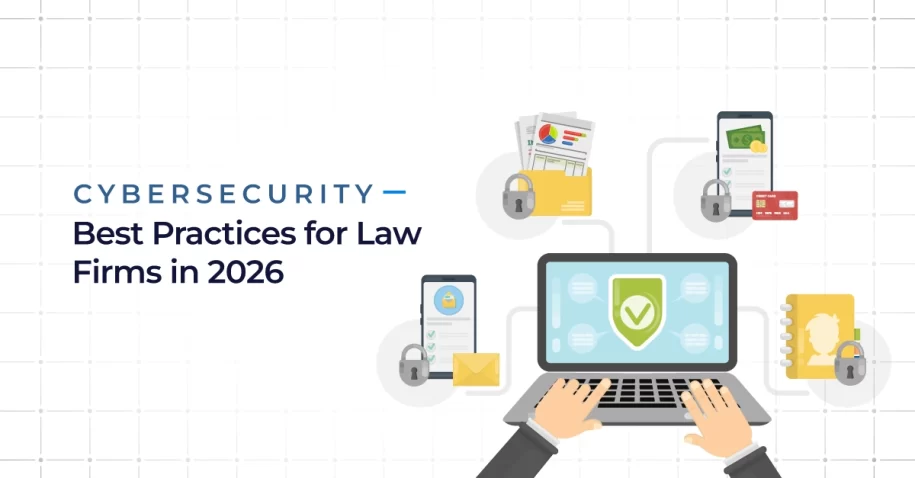
Law firms need layered cybersecurity defense in 2026 because client files routinely include private messages, bank details, case strategy, medical records, and personal identification — exactly the kind of concentrated, high-value data criminals specifically target. A breach can stop active work and damage the trust a firm’s entire practice depends on. Whether you call it cybersecurity for law or cybersecurity for legal practice, security has to fit the real, specific risks of legal work — not a generic small business checklist.
Key Takeaways
- The core cybersecurity best practices for law firms are consistent: MFA, encryption, staff training, access controls, tested backups, patching, monitoring, vendor review, incident response planning, and cyber insurance.
- Law firms are a top target because one compromised account can open access to payment requests, client facts, and active case details all at once.
- Cybersecurity is also an ethics issue — ABA Model Rule 1.6(c) requires lawyers to make reasonable efforts to protect client information from improper access or disclosure.
- The same recurring gaps show up across nearly every law firm audit: inconsistent identity controls, weak phishing defense, unmonitored devices, untested backups, loose vendor access, and missing incident response plans.
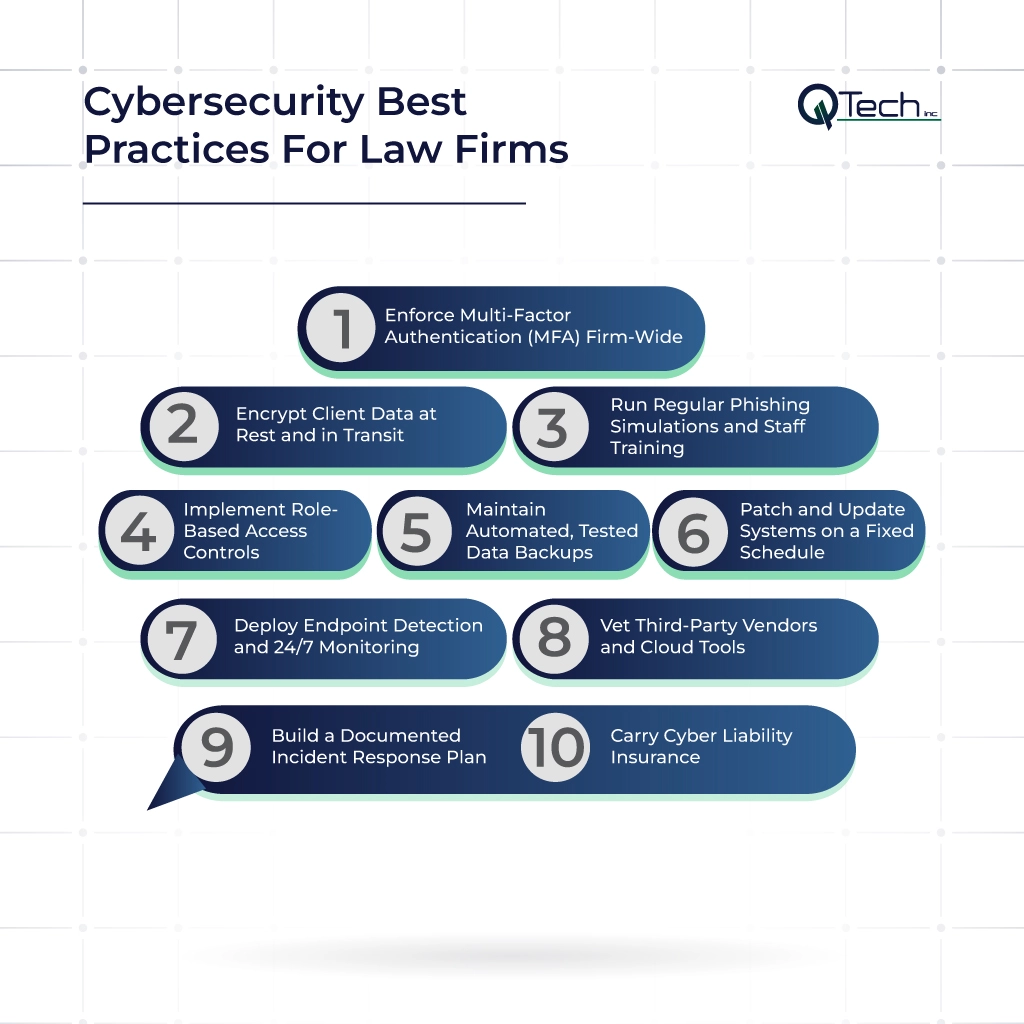
- Ten practices form a practical baseline: MFA firm-wide, encryption at rest and in transit, phishing training, role-based access, tested backups, scheduled patching, endpoint detection with 24/7 monitoring, vendor vetting, a documented incident response plan, and cyber liability insurance.
- Compliance depends on a firm’s state, clients, contracts, and the specific data it holds — Florida attorneys have additional obligations under Rule 4-1.6 and recent Florida Bar guidance.
- Cyber insurance supplements security controls — it doesn’t replace them, and insurers increasingly require proof those controls are actually in place.
What Are the Most Important Cybersecurity Best Practices for Law Firms?
The core cybersecurity best practices for law firms are straightforward to state: use MFA, encrypt data, train staff, limit access, test backups, patch systems, monitor devices, review vendors, prepare for incidents, and carry cyber insurance. A genuinely useful law firm IT security checklist should also specifically cover email security, remote work practices, cloud configuration, and fast reporting of suspicious activity — the fundamentals matter, but so does making sure they’re actually applied consistently across the whole firm.
Why Law Firms Are a Top Target for Cyberattacks
Criminals target law firms because a single compromised account can open many doors at once. A mailbox alone may hold payment requests, sensitive client facts, and active case details — a concentration of value few other business types can match in one place. In 2025, the FBI warned that the Silent Ransom Group was specifically targeting law firms using IT-themed social engineering tactics, exploiting the trust staff place in what looks like routine internal IT communication.
The FBI also reported more than one million internet-crime complaints and over $20 billion in reported losses for 2025 — a scale that underlines just how costly and disruptive these attacks have become across every targeted industry. Strong law firm data breach prevention protects clients, protects the firm’s own trust and reputation, and ultimately supports the rule of law itself.
What Cybercriminals Want From a Law Firm
Attackers are typically after passwords, money, case files, personal data, or access they can resell to others. They often study a firm’s practice management systems and email threads carefully before acting, rather than attacking blindly. Some firms also hold government records or facts tied to a client’s security clearance, which raises the stakes further. Stolen access from a law firm can support fraud, extortion, or a follow-on attack directed at one of the firm’s own clients.
What the ABA and State Bar Associations Say About Cybersecurity
Cybersecurity is also fundamentally an ethics issue for attorneys, not just a technical concern. ABA Model Rule 1.6(c) states that lawyers must make reasonable efforts to protect client information from improper access or disclosure. ABA guidance also directly ties professional competence to understanding the risks and benefits of the technology a firm actually uses. State rules can add further duties on top of this baseline. Firms should treat security as part of genuine professional care — not simply an IT project handled separately from the practice of law itself.
What Q-Tech Inc. Finds When We Audit a Law Firm’s Cybersecurity for the First Time
A first review often finds decent tools in place, but uneven use of them across the firm. MFA might protect email but not every cloud application in use. Former staff may still retain working access long after departure. Backups may technically exist but have never actually been tested for restoration. Some devices may be missing patches entirely. Q-Tech Inc. reviews all of these gaps in the specific context of how lawyers and staff actually work day to day — not as an abstract technical checklist disconnected from real practice.
Cybersecurity Gaps We Find in Almost Every Law Firm We Work With
The same weak points appear consistently across nearly every audit: identity controls, phishing defense, device monitoring, backup testing, vendor access, and incident response plans. The real risk grows considerably when several of these smaller gaps overlap at once, rather than existing in isolation. With managed IT services for law firms, firms can bring patching, support, monitoring, and security policy into one coordinated, managed process instead of handling each piece separately.
Quick Reference: The 10 Cybersecurity Best Practices Every Law Firm Should Follow
| Practice | Core Purpose |
| MFA Firm-Wide | Reduces the risk of account takeover, including for partners |
| Encryption at Rest and in Transit | Limits harm if a device is lost or data is intercepted |
| Phishing Simulations & Training | Stops social engineering before it reaches a click |
| Role-Based Access Controls | Limits how far a breach can spread from one account |
| Automated, Tested Backups | Ensures recovery actually works when needed |
| Scheduled Patching | Closes known vulnerabilities before they’re exploited |
| Endpoint Detection & 24/7 Monitoring | Catches an incident before it becomes firm-wide |
| Vendor and Cloud Tool Vetting | Confirms third parties meet confidentiality obligations |
| Documented Incident Response Plan | Defines who acts, and how, during a real event |
| Cyber Liability Insurance | Covers some cost impact — doesn’t replace controls |
Note on this table: these ten practices reflect established cybersecurity and legal ethics guidance — including CISA and ABA recommendations — layered with patterns Q-Tech Inc. has observed auditing law firm cybersecurity across Miami and Florida. The right priority order still depends on a firm’s size, practice areas, and existing technology.
Cybersecurity Best Practices Every Law Firm Should Follow
A strong security plan has to do four things at once: prevent attacks, spot them quickly when prevention fails, limit the damage they cause, and restore normal work. These ten steps form a practical baseline, and should be reviewed regularly as staff, clients, software, and the threat landscape all continue to change.
1. Enforce Multi-Factor Authentication (MFA) Firm-Wide
Require MFA for email, file storage, remote access, legal applications, and admin accounts — without exception. CISA states that MFA can greatly reduce the risk of account takeover, and phishing-resistant MFA methods offer even stronger protection than SMS-based options. Don’t create easy exceptions for partners or firm leadership — their accounts typically carry the most access, which makes them the highest-value target, not a reason to exempt them from the standard.
2. Encrypt Client Data at Rest and in Transit
Encrypt laptops, phones, file storage, backups, and sensitive messages consistently across the firm. Encryption meaningfully reduces harm if a device is lost or data is intercepted in transit. It works best paired with strong key management, real access limits, and clear rules for how files get shared outside the firm.
3. Run Regular Phishing Simulations and Staff Training
Phishing attacks still fundamentally rely on people, which makes staff training one of the highest-leverage defenses available. Train staff to check senders, links, login pages, attached files, and payment requests carefully before acting. Make reporting a suspected phishing attempt quick and genuinely easy, not a bureaucratic hurdle. A phishing campaign may use email, text messages, fake websites, or even a phone call to create a false sense of urgency — and some campaigns lean on breaking news or high-profile public events as a lure, referencing current political figures, court rulings, or major news stories to seem timely and credible. Staff should learn to recognize each of these approaches and verify any risky request through a separate communication channel before acting on it.
4. Implement Role-Based Access Controls
Give each user only the access genuinely needed for their specific job. Keep admin accounts fully separate from normal daily-use accounts. Review access rights on a defined, recurring schedule, and remove access immediately once a person leaves the firm. These steps directly limit how far an attacker can move through the network after a single account gets compromised.
5. Maintain Automated, Tested Data Backups
Backups should run automatically, without relying on manual steps someone might forget. They should be encrypted and kept isolated from normal user accounts, so a compromised account can’t reach or corrupt them. Test backups by actually restoring real files and systems — a backup isn’t genuinely proven until recovery has actually worked in practice. Keep a written recovery order on file, so the team already knows which systems need to come back online first when it matters.
6. Patch and Update Systems on a Fixed Schedule
Outdated software gives attackers well-documented, known paths into a network. Patch operating systems, browsers, firewalls, plugins, and business applications on a consistent, defined cycle, fixing the most critical flaws first. Systems that genuinely can’t be updated should be isolated, replaced, or protected with additional compensating controls rather than left exposed indefinitely.
7. Deploy Endpoint Detection and 24/7 Monitoring
Basic antivirus software alone is no longer sufficient protection. Endpoint detection can flag strange behavior, stolen credentials in use, malware, and genuinely risky processes as they happen, not after the fact. Ongoing, continuous monitoring gives a security team the time it actually needs to act before an incident escalates. Fast detection is frequently what stops one infected device from becoming a firm-wide event.
8. Vet Third-Party Vendors and Cloud Tools
Law firms depend heavily on cloud storage, billing tools, e-discovery platforms, research services, and outside experts — each one a potential access point into firm data. Florida Bar Ethics Opinion 12-3 states that lawyers using cloud services should take reasonable steps to protect confidentiality, review the provider’s security practices, and maintain appropriate control over access to client data. Vendor reviews should specifically cover encryption practices, breach notification procedures, user access controls, data retention policies, and data ownership terms.
9. Build a Documented Incident Response Plan
Write down clearly who leads the firm during an active incident, including outside counsel, IT contacts, insurers, and key vendors who need to be looped in. Set specific steps for lost devices, stolen accounts, ransomware, and data breaches individually, since each scenario unfolds differently. Define exactly how evidence will be preserved and who must be notified, and under what circumstances. Practice the plan before a real crisis begins — a plan that’s never been rehearsed tends to fall apart under real pressure.
10. Carry Cyber Liability Insurance
Cyber insurance can help cover forensics, legal review, notification costs, recovery expenses, and business interruption losses following an incident. Policies vary considerably, and many insurers now require specific controls — MFA, tested backups, endpoint tools, and staff training — before they’ll issue or renew coverage at all. Insurance shifts part of the financial cost of an incident; it does not replace sound security in the first place.
Law Firm Cybersecurity Compliance
Compliance depends heavily on a firm’s specific state, its clients, its contracts, and the type of data it actually holds. The right approach is mapping each legal or ethics duty to a clear, specific security control, then keeping documented proof that the control genuinely works in practice — not just that a policy exists on paper. This is part of a broader pattern that applies well beyond legal practice too — our guide on why cybersecurity is important for the service industry covers how this same principle plays out across other client-facing service businesses.
ABA Model Rule 1.6 and Cybersecurity
ABA Model Rule 1.6(c) calls for reasonable efforts to prevent improper access to client information. Comment 18 to the rule notes that the right steps depend on factors like data sensitivity, actual risk level, cost, and the burden of implementing added safeguards. This supports a genuinely risk-based approach rather than a one-size-fits-all mandate — a small firm and a large firm may reasonably use different specific tools, but both still need to meet a standard of reasonable protection.
State Bar Cybersecurity Requirements — What Florida Attorneys Need to Know
Florida lawyers must protect client information under Rule 4-1.6. In June 2026, the Florida Bar issued a specific warning about the risks of lost devices, public Wi-Fi use, and other exposures during travel and remote work. That guidance pointed to safeguards including encryption, VPN use, limits on personal device use for firm work, and clear procedures for reporting a lost device promptly. Florida firms should review current Bar guidance periodically, since both the rules and the underlying technology continue to change.
Cyber Insurance for Law Firms
When reviewing a cyber insurance policy, look well beyond the premium alone. Check exactly what triggers a claim, which incident response firms the policy requires you to use, and what specific exclusions apply to your coverage. Ask directly whether social engineering and business email compromise are covered, since these are increasingly common attack vectors that some policies exclude or limit. Make sure the security facts represented on the insurance application actually match the controls the firm currently has in place — a mismatch discovered after a claim is filed can jeopardize coverage exactly when it’s needed most.
How Q-Tech Inc. Helps Law Firms in Miami Build Stronger Cybersecurity
Q-Tech Inc. helps law firms protect email, devices, networks, backups, user access, and daily IT operations as one coordinated system, rather than as separate, disconnected pieces. The goal throughout is reducing real risk without making legal work itself harder to do. Through our cybersecurity service, firms can assess their specific weak points, set clear priorities, improve controls step by step, and maintain ongoing monitoring that keeps pace with how the firm actually operates.
Conclusion: Protect Your Firm Before a Breach Happens
Cybersecurity is now genuinely part of sound legal operations, not a separate concern layered on top of practicing law. Strong identity controls, encryption, staff training, tested backups, consistent patching, active monitoring, vendor checks, a documented response plan, and appropriate insurance all work together to reduce both the chance and the impact of a data breach. The best cybersecurity practices for law firms are repeatable habits with clear owners behind them — build those habits now, before the next phishing scam, ransomware event, or breach turns a manageable risk into an active client crisis.
FAQ
Q: Is My Law Firm at Risk? Signs Your Cybersecurity Needs an Upgrade
A: Your law firm may need stronger cybersecurity if you use outdated software, lack multi-factor authentication (MFA), have weak password policies, experience frequent phishing emails, or have never completed a cybersecurity risk assessment. These warning signs can increase the risk of data breaches and unauthorized access to confidential client information.
Q: Do I Really Need Cybersecurity if I’m a Solo Practitioner?
A: Yes. Solo practitioners are often targeted by cybercriminals because they typically have fewer security resources than larger firms. Even a small practice stores sensitive client data, making essential cybersecurity measures like endpoint protection, secure backups, MFA, and employee awareness critical for protecting confidential information and maintaining client trust.
Q: Can Cybersecurity Insurance Actually Protect My Law Firm?
A: Cybersecurity insurance can help cover financial losses from cyber incidents, including data breaches, ransomware attacks, legal expenses, and business interruption. However, it does not replace strong cybersecurity practices. Most insurers also require law firms to maintain security controls such as MFA, regular backups, and cybersecurity policies before providing coverage.
Q: What Should Every Law Firm Employee Know About Cybersecurity?
A: Every law firm employee should know how to recognize phishing emails, create strong passwords, use multi-factor authentication, securely handle client data, report suspicious activity, and follow the firm’s cybersecurity policies. Regular security awareness training helps reduce human error, one of the leading causes of cybersecurity incidents.
Q: What Should I Do Immediately if I Suspect a Data Breach?
A: If you suspect a data breach, immediately isolate affected devices, notify your IT or cybersecurity team, change compromised passwords, preserve evidence, and begin investigating the incident. Depending on the breach, you may also need to notify affected clients, regulatory authorities, and your cyber insurance provider to meet legal and compliance requirements.