
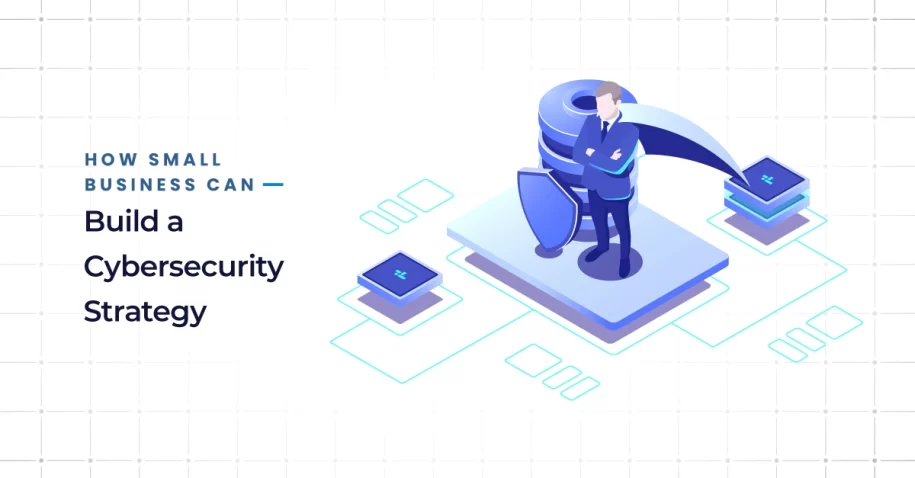
You don’t need a giant budget to be secure. Start with a quick risk assessment, write simple policies, roll out high‑impact controls like multi‑factor authentication (MFA) and patching, train employees to spot phishing, back up data with the 3‑2‑1 rule, and prepare a lightweight incident response plan. Review quarterly and improve as you go.
Why Small Businesses Need a Cybersecurity Strategy
Rising threat: small businesses are frequent targets (ransomware, phishing)
Small businesses face the same attacks as large enterprises—just with fewer people and tools. Ransomware, business email compromise (BEC), and credential‑stuffing hit smaller teams hard because access is often broad and monitoring is thin. Incorporating the key components of a cybersecurity strategy into a written plan turns ad-hoc reactions into a repeatable, defensive process.
Costs of breach vs cost of prevention
A single incident can trigger downtime, lost invoices, reputational damage, and legal exposure, and difficult cyber insurance claim processes. The good news: the most effective defenses—MFA, patching, backups, and employee awareness—are affordable and fast to implement. A few hours of prevention each month can save days (or weeks) of recovery.
Cybersecurity Strategy For Small Business
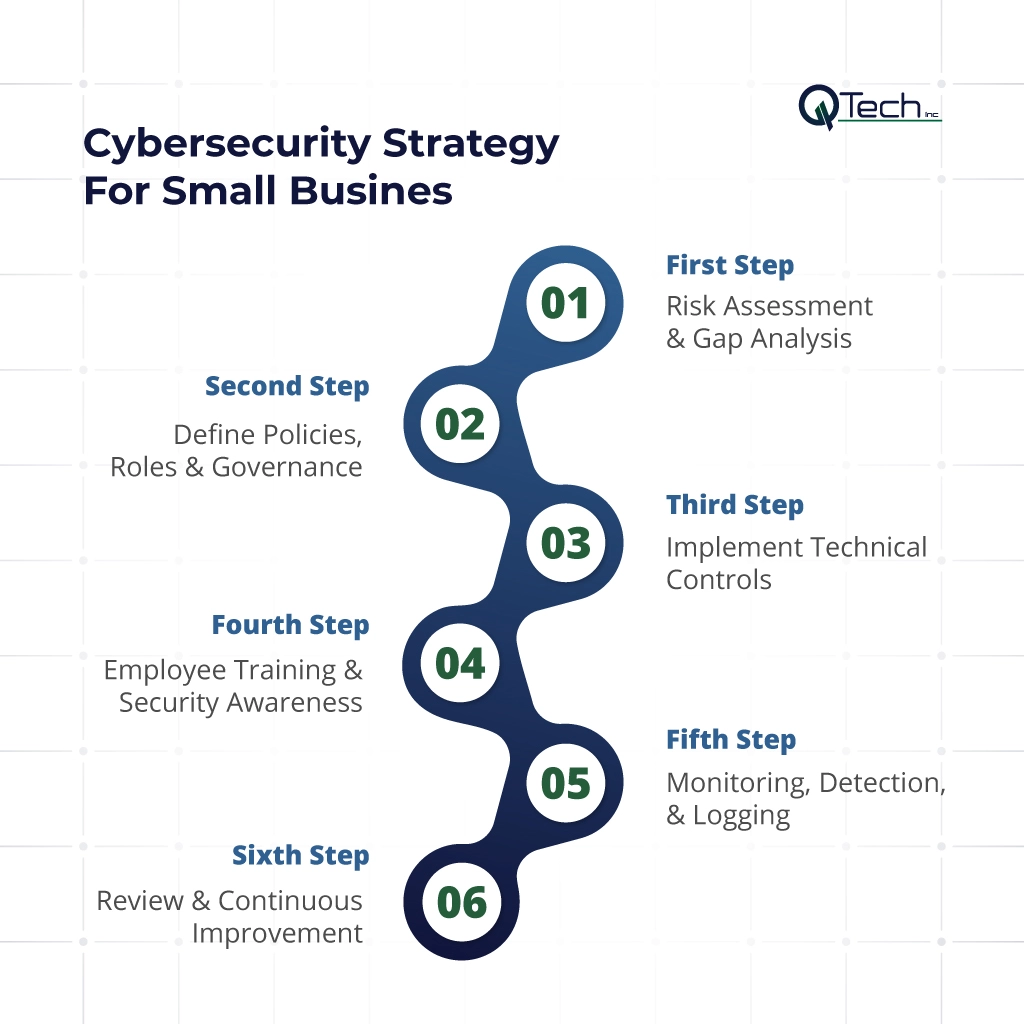
Step 1 – Risk Assessment & Gap Analysis
Inventory assets, data, systems
List what you must protect: laptops, servers, SaaS apps (email, CRM, accounting), websites, Wi‑Fi, and the data inside them (customer PII, payroll, financials). Note where the data lives (cloud drives, laptops, POS, phones) and who can access it.
Identify vulnerabilities and threats
Look for weak points: shared accounts, old software, remote desktop exposed to the internet, weak passwords, no mobile device management (MDM), public Wi‑Fi use, missing backups. Map common threats like phishing, ransomware, insider mistakes, and lost/stolen devices. Partnering with reliable IT support in Miami helps audit these vulnerabilities and secure network configurations before threats materialize.
Prioritize by impact & likelihood
Rank each risk on impact (how bad?) and likelihood (how often?). Tackle the “high‑high” items first. Keep the list short and actionable—top 5 this quarter—and revisit it every 90 days.
Deliverable: a one‑page risk register with owner, due date, and status.
Step 2 – Define Policies, Roles & Governance
Access control, least privilege, privileged access management (PAM)
- Least privilege: give each person only the access they need.
- Unique accounts: no shared logins. Turn on role‑based access in your apps.
- Privileged access management: restrict admin accounts, require MFA, and use separate admin profiles. Log and review admin activity.
Incident response, backup & recovery policies
- Incident response: define what counts as an incident, who leads response, and how to escalate. (See template below.)
- Backups: adopt the 3‑2‑1 rule (three copies, two media, one off‑site) with automated daily backups and monthly test restores.
- Recovery objectives: set RPO (how much data you can lose) and RTO (how long you can be down) in plain language.
Data classification, encryption & privacy rules
- Classify data: public, internal, confidential.
- Encrypt: enable full‑disk encryption on laptops and servers; use TLS/HTTPS everywhere; encrypt cloud folders for sensitive data.
- Privacy: document how you collect, retain, and delete personal data; set retention periods and access approvals.
Step 3 – Implement Technical Controls
Patch management & software updates (critical)
Set your OS and apps to auto‑update. Use a lightweight patch tool or your MSP to track status. Prioritize browsers, VPN clients, endpoint security, and any internet‑facing systems.
Multi-factor authentication (MFA) across systems
Turn on MFA for email, cloud storage, accounting, CRM, VPN, and administrator logins. For small teams, app‑based authenticators or security keys provide strong protection with minimal friction. (Keyword target: multi‑factor authentication small business)
Firewalls, endpoint protection, network segmentation
- Firewalls: block inbound by default; allow only what’s required. Use DNS filtering to block malicious sites.
- Endpoint protection: enable next‑gen antivirus/EDR to catch ransomware and suspicious behavior.
- Segmentation: separate guest Wi‑Fi from business devices; keep POS/IoT off your primary network.
Secure remote access / VPNs
Disable open Remote Desktop Protocol (RDP) from the internet. Require VPN with MFA for remote access. Limit who can connect and log all sessions.
Backup & test restores regularly
Back up servers, cloud drives, and critical SaaS (email, documents). Store at least one copy off‑site or in immutable storage. Test a restore monthly and document the steps—restores, not backups, save businesses.
Step 4 – Employee Training & Security Awareness
Phishing awareness & safe email habits
Run short, quarterly phishing awareness sessions and simulations. Addressing the common mistakes employee makes during cybersecurity training helps staff slow down, verify payment changes, and report suspicious emails safely.
Password hygiene, device security, reporting processes
- Use a password manager to generate unique passwords.
- Enable screen lock and disk encryption on all devices.
- Publish a simple “see something, say something” reporting process—no blame for honest mistakes.
Regular refreshers, simulations
Security is a habit. Reinforce with brief micro‑lessons, posters/Slack reminders, and leadership support.
Step 5 – Monitoring, Detection, & Logging
Security event monitoring & alerts
Centralize critical alerts (email, endpoint, firewall) so they’re seen fast. If you don’t have in‑house coverage, consider a managed security & monitoring service to provide 24/7 eyes on glass.
Log review, anomaly detection
Enable logging on email, admin actions, VPN, and file access. Review weekly for unusual sign‑ins, MFA prompts, forwarding rules, or large data downloads.
Periodic vulnerability & penetration testing
Quarterly vulnerability scans (internal and external) catch missing patches and misconfigurations. Annual pen tests validate defenses and response processes.
Step 6 – Review & Continuous Improvement
Post-incident reviews, lessons learned
After any event—phishing click, malware block, outage—run a short review: what happened, root cause, what we’ll change.
Update policies, patch cycles, training materials
Refresh documents, fix gaps, and update onboarding checklists so improvements stick.
Adapt to new threats
Add controls as your stack evolves: SaaS security checks, mobile management, data loss prevention (DLP), or zero‑trust access as you grow.
Essential Cybersecurity Tools for Small Business Owners
A pragmatic starter stack:
- Password manager (company plan) for unique, strong passwords.
- MFA via authenticator app or security keys.
- Endpoint security (NGAV/EDR) on every device.
- Patch management to track updates across devices.
- Email security (advanced phishing and attachment scanning).
- DNS/Web filtering to block malicious domains.
- Backup solution with off‑site and immutable options; automated test restores.
- VPN with MFA for remote access.
- Mobile device management (MDM) for laptops/phones (encrypt, lock, wipe).
Mini Incident Response Plan Template
Purpose: Provide a clear, repeatable playbook for suspected security incidents.
When to activate: Ransomware alert, suspicious login, lost/stolen device, wire‑fraud attempt, data exfiltration, malware infection.
Roles:
- Incident Lead (manager/owner): coordinates response and communication.
- IT/MSSP Contact: contains the threat, collects evidence, restores systems.
- Comms/Finance: notifies customers/partners as required; coordinates with bank and vendors.
Immediate actions:
- Isolate affected device(s): disconnect from network/Wi‑Fi.
- Preserve evidence: don’t wipe; take screenshots and timestamps.
- Escalate: notify IT/MSSP and Incident Lead.
- Contain: reset credentials, revoke tokens, disable suspicious rules.
- Recover: restore clean backups; validate before reconnecting.
- Report: involve law enforcement and regulators if required.
Post‑incident: root‑cause analysis, lessons learned, update controls, notify stakeholders.
Conclusion & How Q‑Tech Inc. Helps Small Businesses Secure Themselves
You don’t need enterprise complexity to be resilient. Start by adapting enterprise-grade corporate cybersecurity strategies to your team’s size: focus on risk assessment, clear policies, MFA, patch management, phishing awareness, and reliable backups. Delivering dedicated Cybersecurity Services In Miami, we help you right-size a security framework for your budget and industry, manage day-to-day controls, and provide continuous threat monitoring.
FAQ
Q: How often should my small business back up its data?
Answer – Data backups should be automated and continuous (daily at minimum) and follow the 3-2-1 rule: three copies of data, on two different media types, with one copy stored off-site (cloud or physical).
Q: Can small businesses afford an Incident Response Plan (IRP)?
Answer – Yes. An IRP doesn’t require expensive software; it requires a documented, tested set of procedures. A simple plan that defines who to call and what to do first during an attack is affordable and essential for minimizing downtime.
Q: Do we need a dedicated IT person for cybersecurity?
Answer – Most small businesses don’t need a dedicated full-time person. The owner or manager can oversee the strategy. However, you should have access to IT support, either a managed service provider (MSP) or a reliable IT consultant, for implementing technical controls and responding to incidents.
Q: What should we do immediately if we think we’ve been hacked?
Answer – Your incident response plan should outline these immediate steps:
- Disconnect the affected device from the internet/Wi-Fi.
- Contact your IT support or MSP.
- Change passwords for key accounts from a clean device (if MFA is enabled).
- Alert your bank if financial information is involved.
- Do not pay any ransom demands without consulting experts and law enforcement.